Contents
show
How a Front Desk Virtual Assistant Handles Customer Enquiries
Missed calls and delayed replies cost American businesses more than lost leads—they erode trust. In an era of hybrid work and rising customer expectations, the traditional front desk is evolving. A front desk virtual assistant steps in as the remote, always-available professional who answers phones, responds to emails and chats, schedules appointments, and routes complex issues—without the overhead of a full-time on-site hire.
This model aligns with broader shifts: according to the U.S. Bureau of Labor Statistics, 35 percent of employed people did some or all of their work at home on days they worked in 2023, up from 24 percent in 2019. Businesses increasingly rely on distributed talent for customer-facing roles. A skilled front desk virtual assistant delivers consistent, professional enquiry handling that meets modern demands for speed and personalization while controlling costs. This guide explains exactly how these professionals manage customer enquiries, the systems they use, the results they produce, and practical steps for U.S. companies ready to adopt the approach.
What a Front Desk Virtual Assistant Actually Does
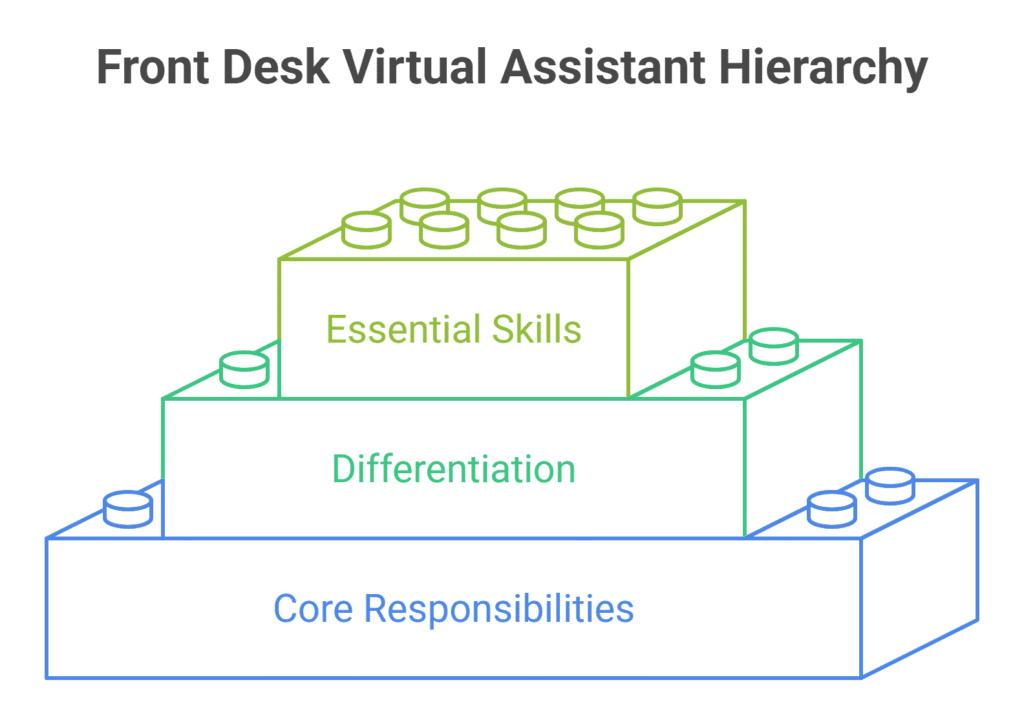
A front desk virtual assistant functions as the primary point of contact for inbound communications. Unlike a general administrative VA, the role centers on real-time or near-real-time customer interaction across phone, email, chat, and sometimes text or social channels.
1. Core responsibilities in enquiry handling
The assistant greets callers or responders professionally, identifies the purpose of the contact, gathers essential details, and either resolves the matter immediately or escalates it with full context. Common tasks include answering product or service questions, confirming appointments, providing basic account status, capturing lead information, and logging every interaction in the company’s CRM or shared system.
They also manage overflow during peak periods and cover after-hours or multi-location needs that a single physical receptionist cannot handle alone. This consistent coverage ensures no enquiry goes unanswered, while the assistant maintains a polished brand voice and accurately routes more complex requests to the right internal specialist.
2. Difference from traditional receptionists and AI chatbots
Traditional receptionists are limited by location, business hours, and single-threaded capacity. AI chatbots handle simple scripted queries but struggle with nuance, empathy, or multi-step problem-solving. A human front desk virtual assistant combines judgment, active listening, and brand voice with the flexibility of remote work.
Many U.S. practices and service businesses now use a hybrid model in which AI filters routine items and the virtual assistant manages everything requiring conversation or AI decision-making. This partnership delivers both efficiency and the human touch customers still value for important or sensitive interactions.
3. Skills that enable effective enquiry management
Strong verbal and written communication, CRM proficiency, calm under pressure, and familiarity with industry-specific terminology matter most. The best assistants also demonstrate cultural awareness for diverse American customer bases and maintain strict confidentiality standards, especially in healthcare, legal, or financial settings.
They excel at active listening, quickly clarifying needs, and setting realistic expectations. Continuous learning about the company’s products, policies, and escalation paths further strengthens their ability to deliver accurate, confidence-building responses every time.
The Step-by-Step Process for Handling Customer Enquiries
Effective enquiry handling follows a structured workflow designed to deliver speed, accuracy, and a positive customer experience. Each stage builds on the last, so information is captured, and nothing is lost in transition. SQM Group reports that customer satisfaction drops by 15% each time customers must call back to resolve an enquiry.
1. Initial contact and triage
- Answer the call, email, or chat within the agreed service-level target, often under 30 seconds for live channels.
- Deliver a standardized professional greeting that includes the company name and the assistant’s name.
- Use open questions to quickly uncover the caller’s or writer’s primary need.
- Apply clear decision trees or scripts to classify the enquiry as a new lead, existing-client request, billing matter, or specialist issue.
- Complete this triage phase in the first 60–90 seconds so the customer feels heard and directed efficiently.
2. Information capture and documentation
- Record the customer’s name, preferred contact details, and reason for reaching out in real time or immediately after the interaction.
- Note urgency level, any commitments made, and relevant account or ticket numbers.
- Enter all data into the company CRM or shared system to create a single source of truth.
- Avoid forcing the customer to repeat information later by ensuring the record is complete and accurate.
- Follow internal logging standards so every team member can pick up the conversation without gaps.
3. Resolution or intelligent escalation
- Resolve straightforward requests – such as hours, appointment availability, or basic product facts – on the spot whenever possible.
- For complex matters, collect all necessary details and set clear expectations for the next response time.
- Route the enquiry to the correct internal owner with a concise, complete summary of the conversation.
- Apply priority flags and service-level agreements so urgent items receive immediate attention.
- Confirm the handoff has been received before closing the initial interaction.
4. Follow-up and closed-loop communication
- Send a brief confirmation email or text after resolution when appropriate.
- Schedule any promised next touchpoint or add the contact to a relevant nurture sequence.
- Update the CRM record to reflect the outcome and any future actions required.
- Monitor for customer replies and respond promptly if additional clarification is needed.
- Close the loop so the customer knows the issue has been fully addressed and the business remains organized.
Tools and Technology That Power Efficient Enquiry Handling
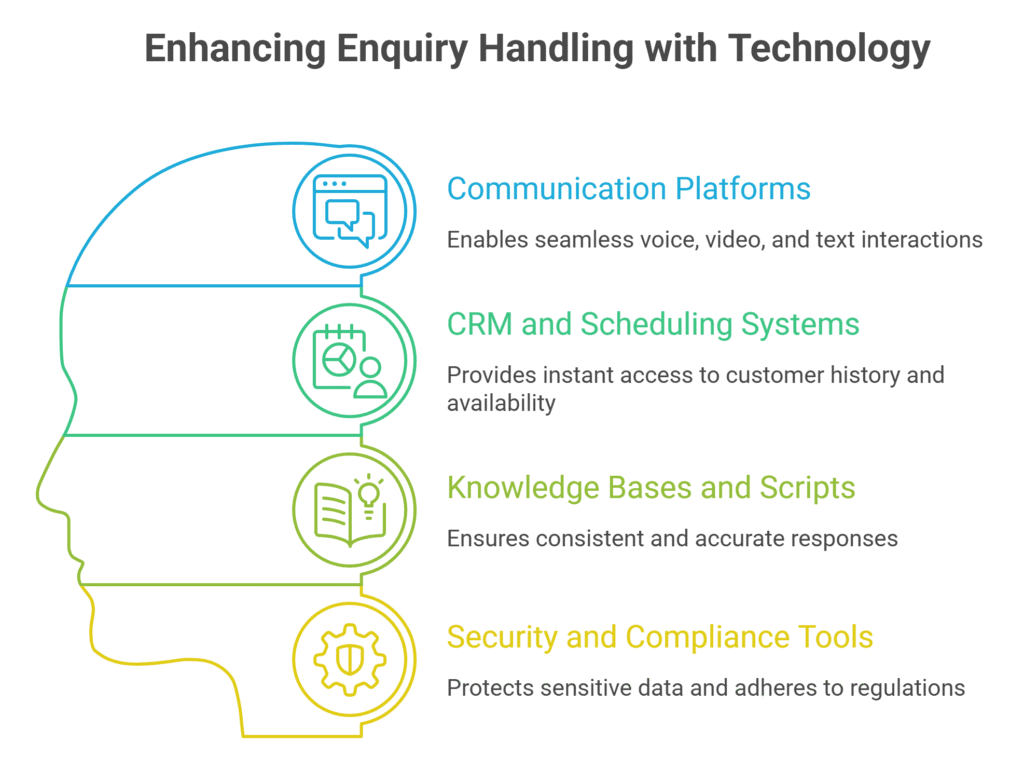
Modern front desk virtual assistants depend on a connected technology stack that keeps every channel visible and every record accurate. These tools remove friction, support remote work, and give managers real-time visibility into performance. When properly integrated, the stack allows one skilled assistant to handle volume that once required multiple on-site staff.
1. Communication platforms
Softphone systems, VoIP, and unified messaging tools enable seamless handling of voice, video, and text from any location with a reliable internet connection. Shared inboxes and live-chat widgets consolidate all incoming channels into one interface, while call recording and quality-monitoring features let managers review interactions without needing to sit beside the assistant. This combination supports consistent coverage across time zones and peak periods.
2. CRM and scheduling systems
Platforms such as Salesforce, HubSpot, ServiceTitan, or industry-specific solutions give the assistant instant access to customer history and live calendar availability. Proper CRM integration allows booking or rescheduling of appointments in a single step, eliminating back-and-forth emails and reducing the chance of double-bookings or missed opportunities.
3. Knowledge bases and scripts
Well-maintained internal wikis, FAQs, and approved response templates ensure every answer stays consistent with brand voice and current policy. Assistants update these resources whenever they encounter new questions, turning daily enquiries into lasting institutional knowledge that benefits the entire team.
4. Security and compliance tools
Secure VPN access, encrypted communication channels, and role-based permissions protect sensitive customer data. For regulated industries, the assistant follows HIPAA, GLBA, or equivalent guidelines, and reputable service providers undergo regular security audits to maintain trust and compliance.
Benefits for American Businesses and Customers
Adopting a front desk virtual assistant produces clear operational and experiential gains for U.S. companies of many sizes. The model addresses both cost pressures and rising customer expectations without requiring additional office space or full-time headcount. When implemented thoughtfully, the benefits compound over time through higher satisfaction and more focused internal teams.
1. Cost efficiency compared with on-site staff
- The median annual wage for secretaries and administrative assistants was $47,460 in May 2024, according to the Bureau of Labor Statistics.
- Receptionists and information clerks averaged $39,460 annually in more recent data.
- Virtual arrangements eliminate benefits, payroll taxes, dedicated office space, and equipment costs.
- Coverage can extend beyond standard business hours without overtime premiums.
- Many small and mid-sized U.S. firms achieve substantial savings while gaining more flexible capacity than a single on-site hire provides.
2. Improved response times and customer satisfaction
- Industry benchmarks show average email first-response time near 12 hours, yet many customers expect replies within four hours.
- Live-chat users typically expect answers in under a minute or two.
- A dedicated VA focusing on the inbound marketing funnel consistently meets or beats these targets.
- Faster, more accurate handling correlates with higher satisfaction scores and reduced churn.
- J.D. Power research notes that customers spend an average of 18.10 minutes per service engagement, making efficient resolution especially valuable.
3. Scalability for growing or multi-location operations
- Seasonal peaks, multi-state expansion, or sudden volume spikes no longer require emergency hiring.
- Coverage expands or contracts by hours or seats without disrupting the physical office.
- Remote talent easily supports 24/7 or extended-hour needs that many American consumers now expect.
- One well-trained assistant or small team can serve multiple locations under a unified process.
- Businesses gain the ability to test new markets or service lines with minimal fixed overhead.
Common Challenges and How Successful Teams Overcome Them
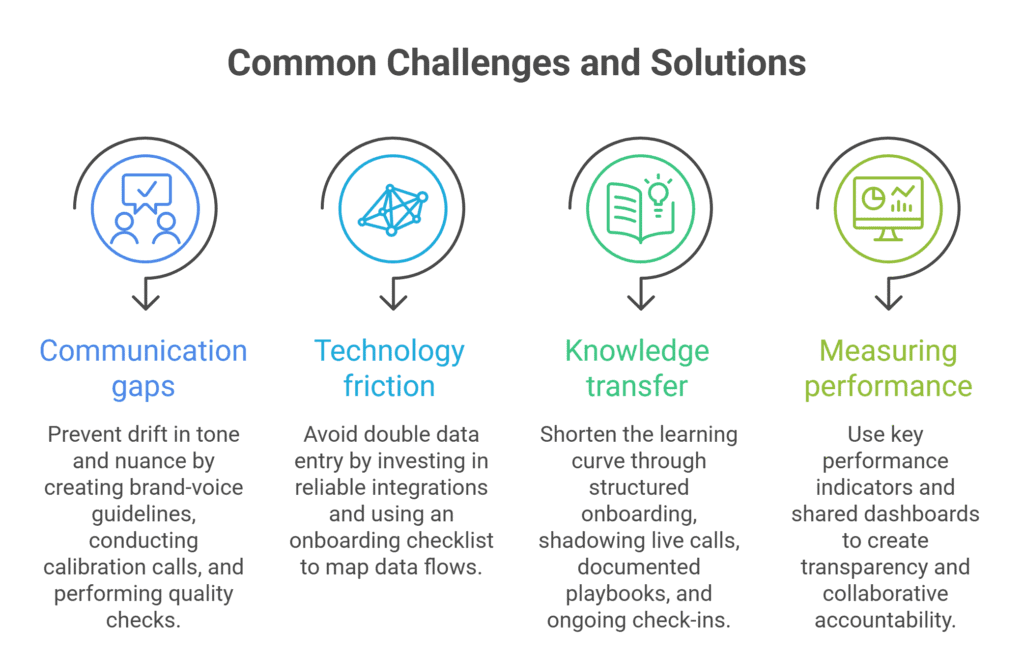
Even the best virtual arrangements encounter occasional friction. Awareness of the most common issues allows companies to design safeguards from day one. Addressing these challenges early keeps performance high and protects the customer experience.
1. Communication gaps and brand consistency
Without daily face-to-face interaction, tone and nuance can gradually drift from the company’s preferred style. Successful teams prevent this by creating detailed brand-voice guidelines, conducting regular calibration calls, reviewing recorded sample interactions together, and performing side-by-side quality checks. Assigning a dedicated assistant or small consistent team further builds familiarity and natural alignment over time.
2. Technology and integration friction
Poorly connected systems force double data entry or cause messages to be missed. The most effective remedy is upfront investment in reliable integrations and a clear onboarding checklist that maps every channel and data flow before the assistant goes live. Testing the full workflow with real or simulated enquiries catches gaps early.
3. Training and knowledge transfer
New assistants need time to absorb product details, common objections, and escalation paths. Structured onboarding of VAs that includes shadowing live calls, documented playbooks, and progressive responsibility shortens the learning curve. Ongoing weekly or bi-weekly check-ins keep knowledge current as products and policies evolve.
4. Measuring performance
The absence of physical presence can raise questions about accountability. Clear key performance indicators – answer rate, average answer speed, first-contact resolution percentage, customer satisfaction scores, and accurate logging rate – create transparency. Shared dashboards make results visible to both the business and the assistant, turning measurement into a collaborative tool rather than a source of tension.
Best Practices for Getting the Most from a Front Desk Virtual Assistant
Strong results depend on clear expectations, thorough preparation, and ongoing collaboration between the business and the virtual assistant. These practices help the relationship mature quickly and deliver consistent value. Following them reduces risk and accelerates the return on the investment.
- Define clear service-level agreements that specify expected answer times by channel, escalation windows, and reporting cadence so both parties share the same definition of success.
- Invest in thorough onboarding by sharing brand materials, product sheets, CRM walkthroughs, and sample call recordings, and by introducing the assistant to key internal contacts.
- Maintain regular feedback loops through weekly short meetings or asynchronous scorecards that keep quality high and surface process improvements.
- Combine human and automated support thoughtfully by using AI or self-service for the simplest repetitive questions while reserving the automation virtual assistant for interactions that benefit from human judgment.
- Protect data and privacy rigorously by confirming that the service provider meets or exceeds industry security standards and that individual assistants sign appropriate confidentiality agreements.
TaskVirtual: Your Partner in Front Desk Virtual Assistance

Handling high volumes of customer enquiries while maintaining professional response times and accurate documentation can stretch internal teams thin. Missed calls, delayed emails, and inconsistent triage often lead to lost opportunities and frustrated clients. TaskVirtual supplies trained front desk virtual assistants who manage inbound communications, capture essential details, resolve routine requests, and escalate complex issues with complete context – helping U.S. businesses deliver reliable, brand-aligned support without the cost of additional on-site staff.
1. Specialized Enquiry Management Expertise
TaskVirtual’s experienced virtual assistants are skilled in professional greeting protocols, rapid triage, CRM logging, virtual appointment scheduling, and intelligent escalation. They follow your scripts and decision trees, maintain a consistent brand voice, and ensure every interaction is documented so internal teams receive clean handoffs.
2. Affordable and Flexible Pricing
Hiring a full-time personal assistant can be expensive, but TaskVirtual makes it cost-effective. With pricing plans starting from just $3.12/hour to $14.99/hour, their services are budget-friendly and accessible to individuals, families, and businesses.
3. Full-Spectrum Front Desk Virtual Assistance
From answering multi-channel enquiries and managing calendars to capturing leads and providing after-hours coverage, TaskVirtual handles the complete enquiry workflow. Services scale easily whether you need overflow support during peak periods or consistent daily front-desk coverage across multiple locations.
4. Continuous Support and Performance Monitoring
TaskVirtual provides ongoing quality checks, regular performance reporting, and proactive communication so service levels remain high. Their assistants stay updated on your processes and deliver consistent first-contact resolution that strengthens customer confidence.
5. Proven Track Record of Excellence
With 364 positive reviews and a 4.7-star rating on trusted VA platforms, TaskVirtual is recognised as a reliable partner worldwide. Clients count on their expertise to simplify grocery shopping and streamline everyday tasks.
FAQ
1. What is the difference between a front desk virtual assistant and a general virtual assistant?
A front desk virtual assistant specializes in real-time customer contact—phones, live chat, and enquiry triage—while a general VA handles broader administrative tasks such as email management, research, or scheduling that do not require immediate interaction.
2. How quickly can a front desk virtual assistant respond to customer enquiries?
Phone and live-chat targets are often under 30–60 seconds. Email responses typically aim for under four hours during business hours, far faster than the industry average of roughly 12 hours.
3. Is a front desk virtual assistant suitable for regulated industries?
Yes, provided the provider and individual assistants comply with required standards (HIPAA, etc.) and the company implements proper access controls and training.
4. What metrics should I track?
Focus on answer rate, average speed of answer, first-contact resolution, customer satisfaction or Net Promoter Score related to the front desk, and accuracy of CRM logging.
5. Can one virtual assistant cover multiple locations or time zones?
Yes. Remote coverage is one of the model’s strongest advantages; many businesses use staggered schedules or small teams to provide extended or multi-time-zone support.
6. How long does onboarding usually take?
Most effective programs reach full productivity within two to four weeks when the business supplies clear documentation and participates actively in training.
Conclusion + CTA
A front desk virtual assistant transforms how American businesses handle customer enquiries by combining professional human interaction with the flexibility and cost structure of remote work. From rapid triage and accurate documentation to intelligent escalation and consistent follow-up, the process delivers faster responses, higher satisfaction, and freed internal capacity. With remote work now a durable feature of the U.S. labor market and customer expectations for speed continuing to rise, the model is no longer experimental—it is operational best practice for many service, professional, and multi-location organizations.
If your current front desk struggles with missed calls, slow email replies, or limited hours, evaluate a front desk virtual assistant solution. Map your highest-volume enquiry types, define clear success metrics, and pilot the arrangement with a reputable provider. The result is often a more responsive customer experience and a leaner, more focused internal team. Start the conversation with a qualified virtual assistant partner today and turn every enquiry into an opportunity to strengthen customer relationships.
Sources
- U.S. Bureau of Labor Statistics, Occupational Employment and Wage Statistics (Receptionists and Information Clerks; Secretaries and Administrative Assistants)
- U.S. Bureau of Labor Statistics, “35 percent of employed people did some or all of their work at home on days they worked in 2023”
- J.D. Power, 2023 U.S. Cross-Industry Customer Service Experience Study
- SuperOffice Customer Service Benchmark Report (email response-time data)
- Pew Research Center surveys on remote and hybrid work arrangements
For more such content, visit our website.
 Siddhartha Basu is a Technical Writer at Task Virtual. He loves online games, e-book reading, and Yoga.