
Contents
show
Should you hire a Virtual Assistant?
Virtual assistant services have moved from a “nice-to-have” support option to a practical operating model for founders, executives, agencies, consultants, ecommerce teams, and growing small businesses. The reason is simple: most businesses do not only need more people; they need the right support capacity at the right time, without adding unnecessary fixed overhead.
For U.S. businesses, the timing is especially relevant. The SBA Office of Advocacy reports that the U.S. has 36.2 million small businesses, representing 99.9% of all U.S. businesses, and those businesses employ 62.3 million people, or 45.9% of U.S. employees. That means millions of owners and managers are trying to grow, serve customers, handle operations, and control costs at the same time.
At the same time, work itself has become more remote, digital, and tool-driven. BLS data shows that in 2025, 35% of employed people did some or all of their work at home on days they worked, while 70% did some or all of their work at their workplace. This confirms that hybrid and remote work are no longer fringe arrangements; they are part of normal business infrastructure.
That is why any entrepreneur would ask this sore question: Should he hire a virtual assistant? The answer depends on your workload, budget, growth stage, delegation habits, and the kind of help you need. This guide explains what virtual assistants do, which tasks to delegate, how much they cost, how they compare with full-time employees, how to vet them, and how to onboard them successfully.
Google’s own guidance for AI search features says that traditional SEO best practices still matter because generative AI features in Google Search are rooted in Google’s core ranking and quality systems. This pillar page is structured with that in mind: direct answers, practical decision frameworks, internal links to deeper resources, and source-backed data.
What Are Virtual Assistant Services?

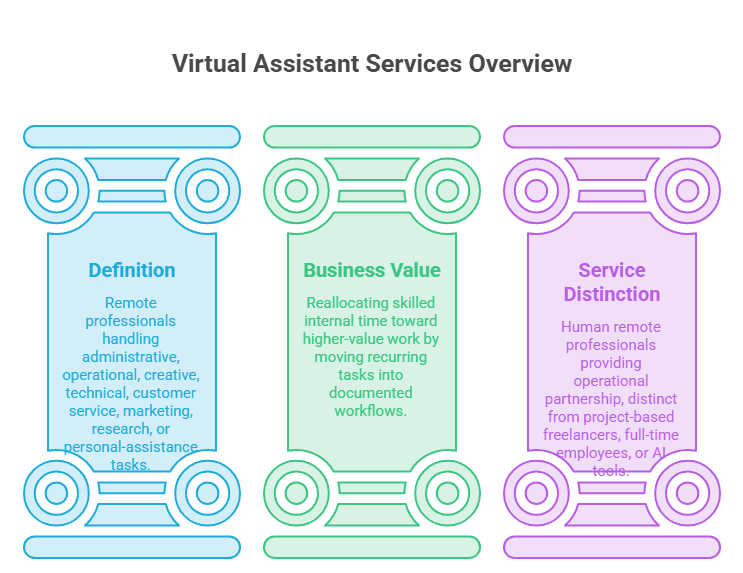
Virtual assistant services give businesses access to remote professionals who can manage recurring support work without needing to be physically present in the office. These services can cover administrative, operational, marketing, customer support, research, and executive-assistance functions, depending on the business need. Understanding the category clearly helps business owners separate human VA support from AI tools, freelancers, and traditional employees.
1. Definition of Virtual Assistant Services
Virtual assistant services are remote business support services provided by trained professionals or firms offering such professionals (Examples: TaskVirtual, MyTasker, etc) who handle administrative, operational, creative, technical, customer service, marketing, research, or personal-assistance tasks for a company or individual. A virtual assistant, often called a VA, usually works outside the client’s office and communicates through email, messaging apps, project management tools, video calls, shared documents, and cloud-based systems.
The phrase “virtual assistant” can sometimes create confusion because it may also refer to AI tools or voice assistants. In this business context, however, virtual assistant services refer to human remote professionals who support business workflows. They may use AI tools, automation software, CRM platforms, scheduling systems, spreadsheets, email tools, and marketing platforms, but the value comes from human judgment, reliability, communication, and execution.
A virtual assistant can support one business owner, a senior executive, a sales team, an e-commerce store, a healthcare office, a real estate professional, or an entire operations team. The service can be part-time, full-time, project-based, hourly, retainer-based, or task-based, depending on the provider and business need. For a deeper breakdown of day-to-day responsibilities, businesses can review what virtual assistants actually do across common workflows.
2. Why Businesses Use Virtual Assistants
Businesses use virtual assistants because many important tasks do not require a senior employee’s time, but they still need to be done accurately and consistently. Examples include inbox organization, calendar coordination, data entry, meeting scheduling, CRM updates, travel planning, invoice tracking, research, lead list building, file management, social media scheduling, and customer follow-ups.
The real benefit is not just “saving time.” It is reallocating skilled internal time toward higher-value work. A founder who spends two hours a day on email triage, calendar changes, document formatting, and follow-up reminders may feel productive, but those tasks can block sales calls, client strategy, hiring decisions, and product work. A virtual assistant helps move recurring work out of the founder’s head and into a documented workflow.
This matters because small businesses are under pressure from multiple sides. In the Federal Reserve’s 2026 Report on Employer Firms, reaching customers and growing sales was the most commonly reported operational challenge, followed by hiring or retaining qualified staff. Virtual assistant services sit directly between those two challenges: they can support growth activities while reducing the need to immediately hire a full-time employee.
3. Virtual Assistant Services vs. Freelancers, Employees, and AI Tools
A virtual assistant is not always the same as a freelancer, full-time employee, or AI tool. A freelancer is usually hired for a specific project or specialized output, such as designing a logo, writing a landing page, or building an automation. A full-time employee is part of the internal team, usually with a broader employment relationship, benefits, training, payroll obligations, and management structure. An AI tool can automate or accelerate parts of a workflow, but it does not independently manage business context, relationships, judgment calls, or accountability.
Virtual assistant services often fit between these options. A VA may become a long-term operational partner without requiring the cost structure of a traditional hire. Many VAs also work across recurring workflows rather than isolated projects. For example, instead of hiring a freelancer to clean one spreadsheet, a business may hire a VA to maintain lead lists, update CRM records, prepare weekly reports, and coordinate follow-ups every week.
AI is also changing the role of virtual assistants. The U.S. Chamber reported in 2025 that 58% of small businesses use generative AI, up from 40% in 2024 and 23% in 2023. The best VA relationships now often combine human support with AI-assisted productivity: the VA drafts, organizes, summarizes, formats, checks, schedules, and coordinates, while the business owner keeps strategic control.
Should You Hire a Virtual Assistant?

Hiring a virtual assistant is a practical decision that should be based on workload, process readiness, budget, and the value of your time. Before hiring, business owners should identify whether they need task execution, operational consistency, customer support, or a more structured delegation system.
1. Signs You Are Ready to Hire a Virtual Assistant
- You repeatedly say, “I know what needs to be done, but I cannot get to it,” which usually means the business has an execution-capacity problem rather than a knowledge problem.
- Your inbox, calendar, files, CRM, invoices, customer follow-ups, or weekly reports are becoming difficult to manage consistently.
- Important but repetitive tasks are taking time away from sales calls, client strategy, hiring decisions, product work, or revenue-generating activity.
- You can identify at least five recurring weekly tasks that do not require your direct judgment, such as scheduling, data entry, document formatting, or lead research.
- You already know the desired outcome, deadline, tools, examples, and approval rules for the tasks you want to delegate.
- Your missed follow-ups, delayed responses, or scattered workflows are starting to affect customer experience, sales opportunities, or team coordination.
- You are ready to document repeatable steps, record walkthroughs, and communicate expectations clearly enough for someone else to execute them.
2. When a Virtual Assistant May Not Be the Right Fit
- A virtual assistant will not fix a broken business model, unclear offer, weak cash flow, poor leadership habits, or a business owner who refuses to delegate.
- If the work requires high-level strategy, legal judgment, accounting advice, or executive decision-making, a specialist or internal leader may be more appropriate.
- A VA may not be the right first hire if the company has no documented processes, no clear task ownership, and no consistent way to explain how work should be completed.
- If every task exists only in the owner’s memory and changes daily without explanation, the VA will likely spend too much time guessing.
- Sensitive workflows involving legal, financial, medical, or highly confidential information may require additional compliance review before being delegated.
- A low-cost assistant should not be expected to replace several senior roles, manage complex strategy, or independently own high-risk business functions.
- If you are not prepared to provide examples, feedback, passwords through secure systems, and review cycles, the relationship may create more friction than leverage.
3. The Business Case for Hiring a VA
- The business case is strongest when the cost of not delegating is higher than the cost of support.
- If a consultant bills $150 per hour but spends 10 hours per month on scheduling, inbox cleanup, invoice reminders, and lead research, that is $1,500 worth of potential billable time trapped in support work.
- A VA does not automatically recover all lost value, but even partial recovery can justify the investment when the assistant protects revenue-focused time.
- BLS data shows that private-industry compensation costs averaged $46.15 per hour in March 2026, including $32.60 for wages and salaries and $14.01 for benefits.
- Businesses should compare virtual assistant services with total employment cost, not wages alone, because full-time employees may also involve benefits, payroll taxes, equipment, software, paid leave, and management time.
- A VA can be especially useful when the workload fluctuates from week to week, and the business does not yet need a fixed full-time role.
- For entrepreneurs, delegating tasks can create more room for strategy, sales, client service, and leadership instead of routine administration.
What Tasks Can You Delegate to a Virtual Assistant?

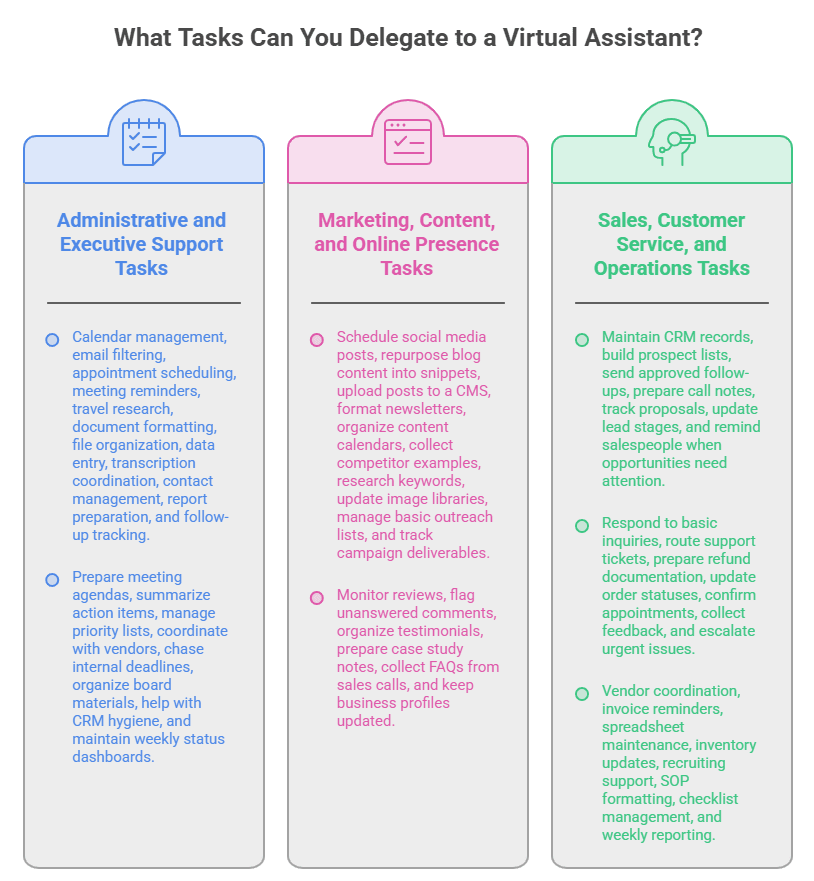
The best tasks to delegate are repeatable, explainable, measurable, and important enough to matter but not important enough to require the owner’s personal attention every time. Virtual assistant services can support both simple execution and more advanced workflow ownership when expectations are clear. The right delegation plan should start with recurring bottlenecks before expanding into complex responsibilities.
1. Administrative and Executive Support Tasks
Administrative support is the most common entry point for virtual assistant services. These tasks include calendar management, email filtering, appointment scheduling, meeting reminders, travel research, document formatting, file organization, data entry, transcription coordination, contact management, report preparation, and follow-up tracking.
Executive support is more advanced. An executive VA may prepare meeting agendas, summarize action items, manage priority lists, coordinate with vendors, chase internal deadlines, organize board materials, help with CRM hygiene, and maintain weekly status dashboards. For CEOs, founders, and executives, the best assistant is not merely “doing admin”; they are protecting focus.
Good administrative delegation starts with boundaries. The VA should know which emails can be archived, which require a drafted reply, which need urgent escalation, and which should be added to a task list. The same applies to calendars: define preferred meeting hours, buffer times, travel rules, rescheduling permissions, and no-meeting blocks.
Businesses that want a broader menu of VA service categories can use service lists to identify which support functions are easiest to delegate first.
2. Marketing, Content, and Online Presence Tasks
Virtual assistants can support marketing operations, especially when the strategy already exists. They can schedule social media posts, repurpose blog content into snippets, upload posts to a CMS, format newsletters, organize content calendars, collect competitor examples, research keywords, update image libraries, manage basic outreach lists, and track campaign deliverables.
A VA can also support reputation and visibility tasks. This includes monitoring reviews, flagging unanswered comments, organizing testimonials, preparing case study notes, collecting FAQs from sales calls, and keeping business profiles updated. These tasks are not always glamorous, but they help a company look responsive and organized.
The key is to avoid confusing execution with strategy. A VA can publish posts, format briefs, organize assets, and prepare reports. A marketing strategist should still own positioning, messaging, conversion goals, and campaign direction. The best model is a clear handoff: the strategist defines the plan; VA manages the repeatable production workflow.
3. Sales, Customer Service, and Operations Tasks
Virtual assistants can support sales by maintaining CRM records, building prospect lists, sending approved follow-ups, preparing call notes, tracking proposals, updating lead stages, and reminding salespeople when opportunities need attention. They can help prevent revenue leakage caused by forgotten follow-ups and disorganized pipelines.
Customer service tasks may include responding to basic inquiries, routing support tickets, preparing refund documentation, updating order statuses, confirming appointments, collecting feedback, and escalating urgent issues. For e-commerce and service businesses, this can improve response speed and reduce owner involvement in repetitive customer questions.
Operationally, VAs can help with vendor coordination, invoice reminders, spreadsheet maintenance, inventory updates, recruiting support, SOP formatting, checklist management, and weekly reporting. These tasks are often invisible until they break. A good VA keeps them moving before they become urgent.
A business can start by identifying tasks to delegate and then building a structured process for task delegation to remote assistants.
Virtual Assistant Skills and Roles
A successful VA relationship depends on more than availability or hourly cost. The assistant’s skills, role fit, communication habits, and ability to manage recurring workflows determine whether the business gains real operational leverage.
1. Core Skills Every Strong Virtual Assistant Needs
- A strong virtual assistant needs clear written communication because remote work often depends on asynchronous updates, task comments, and documented follow-through.
- Organization is essential because VAs often manage calendars, inboxes, files, project boards, CRM records, checklists, and recurring deadlines.
- Attention to detail matters because small errors in scheduling, customer messages, data entry, or document handling can create larger operational problems.
- Digital fluency is important because a VA may need to use Google Workspace, Microsoft 365, Slack, Zoom, Asana, Trello, ClickUp, HubSpot, Shopify, WordPress, QuickBooks, Canva, Mailchimp, Notion, Airtable, or similar platforms.
- Confidentiality is critical because virtual assistants may see customer records, financial information, business plans, passwords, contracts, or executive communications.
- Problem-solving ability helps a VA ask better questions, flag unclear instructions, and prevent recurring issues from becoming larger delays.
- For a deeper framework, reviewing essential VA skills can help businesses understand what abilities to prioritize during hiring.
2. Common Virtual Assistant Roles
- An administrative VA handles scheduling, inboxes, files, documents, data entry, travel research, appointment coordination, and general back-office support.
- An executive VA supports founders, CEOs, and senior leaders with higher-trust workflows, meeting preparation, communication triage, project follow-through, and calendar protection.
- A marketing VA supports content calendars, social media scheduling, email campaigns, publishing workflows, asset organization, and basic campaign reporting.
- A customer support VA manages inquiries, tickets, order updates, appointment confirmations, refund documentation, and basic service communication.
- A real estate VA may help with listings, CRM updates, transaction coordination, property research, appointment setting, and client follow-up.
- An e-commerce VA may update products, monitor orders, respond to customers, coordinate returns, and organize supplier or inventory information.
- Businesses should match the assistant’s role to the actual need because VA responsibilities can vary widely across industries and workflows.
How Much Do Virtual Assistant Services Cost?

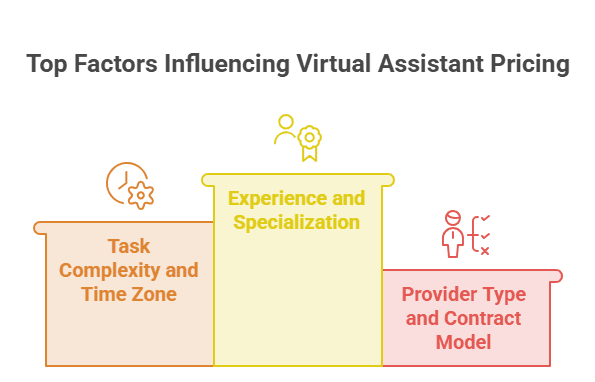
Virtual assistant pricing varies because not every VA provides the same level of skill, specialization, availability, or management support. Businesses should evaluate price based on outcomes, risk, and time saved rather than choosing only the lowest hourly rate. A cost-effective VA relationship should reduce operational drag without creating avoidable rework.
1. What Influences Virtual Assistant Pricing?
The cost of virtual assistant services depends on location, experience, specialization, task complexity, time zone coverage, language requirements, contract model, and provider type. A basic administrative VA generally costs less than a specialized executive, marketing, bookkeeping, ecommerce, or technical VA. A managed VA service may cost more than an independent freelancer, but it may include recruitment, replacement support, supervision, training, quality control, or backup coverage.
Cost also depends on how well the business defines the work. Vague tasks cost more because they require extra clarification, revisions, and management time. Clear tasks with examples, templates, and approval rules are easier to complete efficiently. A VA firm could cost more than a freelancer; however, as to the question of security and date safety, a firm will definitely supersede. In some VA firms like TaskVirtual, you can get a dedicated virtual assistant, which will cost $6.24 an hour.
Businesses should also calculate the cost of internal time. A VA who costs more per hour but requires less supervision may be cheaper in practice than a low-cost VA who needs constant rework. The best pricing decision considers total value, not just hourly rate.
For a dedicated pricing breakdown, businesses can review what affects virtual assistant cost before comparing providers.
2. VA Cost vs. Full-Time Employee Cost
A virtual assistant and a full-time employee are not identical, so the comparison should be practical rather than simplistic. A full-time employee may be better for culture-heavy roles, deep institutional knowledge, sensitive operations, or long-term internal leadership. A VA may be better for flexible support, specialized recurring workflows, part-time needs, after-hours coverage, or tasks that do not require a local office presence.
The cost comparison should include wages, benefits, payroll taxes, recruiting, onboarding, equipment, software, paid leave, management time, training, office space, and utilization. BLS compensation data shows that benefits are a meaningful portion of private-industry employer costs, not a small add-on. This is one reason many businesses test virtual assistant services before creating a full-time role.
However, the goal should not be to avoid employees forever. Many companies use VAs as a bridge: first delegate recurring support, then identify whether the workload justifies a permanent hire. The VA model can reveal the real scope of the role before the company commits to a full-time position.
A detailed true cost comparison can help businesses evaluate VA support against traditional hiring more accurately.
3. Cheap vs. Cost-Effective Virtual Assistant Services
Cheap virtual assistant services can be useful when the tasks are simple, documented, low-risk, and easy to review. Examples include formatting lists, cleaning spreadsheets, collecting basic research, renaming files, tagging content, or updating records from clear instructions. In these cases, lower-cost support can improve efficiency.
But cheap is not always cost-effective. If a task requires judgment, customer interaction, brand voice, data privacy, or executive-level discretion, underpaying for low-skill support can create errors, delays, or reputational risk. A low rate becomes expensive when it creates rework.
The better question is: “What level of skill does this workflow require?” Match the assistant to the task. Use affordable support for routine execution, experienced support for operational ownership, and specialists for technical or strategic work.
Businesses comparing options should look beyond price and evaluate whether cheap VA services actually improve efficiency for the tasks being delegated.
Offshore Virtual Assistant Services
Offshore virtual assistant services allow U.S. companies to access remote support from global talent markets while keeping workflows digital and flexible. This model works best when the business has clear documentation, secure access systems, quality standards, and communication rules.
1. What Offshore Virtual Assistants Can Do Well
- Offshore virtual assistants can handle many of the same support tasks as domestic VAs, including admin support, research, data entry, customer service, content operations, ecommerce updates, and appointment scheduling.
- They are often effective for well-documented recurring work where the business provides SOPs, templates, examples, deadlines, and escalation rules.
- Offshore VAs can support lead generation workflows by preparing prospect lists, updating CRM records, organizing outreach data, and tracking follow-up activity.
- E-commerce businesses can use offshore VA support for product updates, order monitoring, customer inquiries, return coordination, and supplier communication.
- Offshore assistants can help with back-office workflows such as spreadsheet maintenance, reporting, invoice reminders, and documentation cleanup.
- Time zone differences can be useful for overnight inbox triage, early-morning reports, next-day data cleanup, or extended customer support coverage.
- For cost-focused businesses, offshore VA services can provide flexible support when tasks are clearly defined.
2. Time Zones, Communication, and Quality Control
- The main offshore risks are communication gaps, unclear expectations, time zone delays, and inconsistent quality review.
- These risks are manageable when the business defines response windows, meeting cadence, preferred channels, daily update format, and urgent escalation methods.
- Quality control should be built into the workflow rather than treated as an occasional inspection.
- A VA who updates CRM records can complete a daily log showing accounts updated, missing information, questions, and exceptions.
- A VA who manages social scheduling can submit a weekly preview before posts go live.
- A VA who handles customer service can use approved response templates, escalation tags, and clear rules for sensitive inquiries.
- Pew Research Center found that among remote workers whose jobs can be done from home, 46% said they would be unlikely to stay at their job if their employer no longer allowed remote work, showing how important remote flexibility has become for many workers.
3. Compliance, Security, and Data Protection
- Offshore virtual assistant services require careful access management because remote assistants may work with customer data, internal documents, or business systems.
- Businesses should avoid sharing master passwords through email, chat, or unsecured documents.
- Secure systems should include password managers, two-factor authentication, least-privilege permissions, separate user accounts, and documented offboarding procedures.
- Access should match the VA’s actual responsibilities rather than giving broad permissions for convenience.
- Sensitive workflows involving customer data, financial records, medical information, legal documents, or confidential business information may require extra compliance review.
- Depending on the industry, the business may need privacy policies, contractual protections, NDAs, or specialized vendors.
- The goal is not to block delegation; it is to let the VA work effectively while limiting unnecessary business risk.
How to Find and Vet a Virtual Assistant

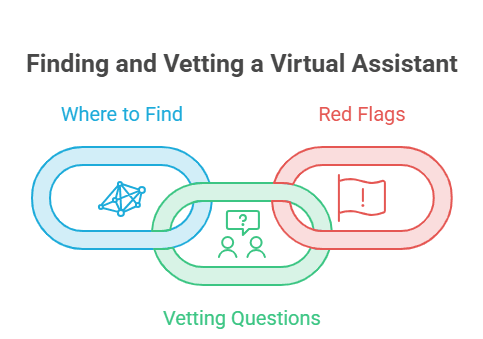
Finding the right VA starts with defining the role before searching for candidates. A strong hiring process should test real working behavior, not just credentials or claims. Vetting should focus on communication, reliability, tool fluency, attention to detail, and the candidate’s ability to manage recurring work.
1. Where to Find Virtual Assistants
Businesses can find virtual assistants through VA agencies, managed service providers, freelancer marketplaces, referrals, professional networks, job boards, and niche communities. Each option has trade-offs. Agencies may offer screening, backup support, and account management. Freelance marketplaces may provide access to a wide talent pool. Referrals may be faster and more trust-based. Direct hiring may offer more control but requires more screening.
Before searching, define the role clearly. A strong VA brief should include business type, task categories, required tools, weekly hours, time zone needs, communication expectations, experience level, budget, and success metrics. The clearer the brief, the easier it is to identify the right person.
Avoid hiring based only on a résumé. A VA role is execution-heavy, so the vetting process should test real working behavior: communication clarity, attention to detail, ability to follow instructions, judgment, turnaround time, and comfort asking useful questions.
A structured process for finding and vetting a VA can help businesses reduce hiring risk and choose support that fits the role.
2. Vetting Questions to Ask
Good vetting questions reveal how the assistant thinks. Ask: “Tell me about a recurring workflow you managed.” “How do you handle unclear instructions?” “What tools have you used for calendar, email, CRM, and project management?” “How do you report completed work?” “What would you do if a customer asked a question outside your authority?” “How do you protect client confidentiality?”
For specialized roles, ask task-specific questions. A marketing VA should be able to explain how they manage a content calendar. An e-commerce VA should understand product listings, order updates, and customer communication. An executive VA should understand prioritization, discretion, and calendar protection.
You can also use a paid test task. Keep it ethical, limited, and realistic. Examples include organizing a sample inbox, cleaning a small spreadsheet, drafting a meeting agenda from notes, creating a simple SOP, or researching five vendors with a comparison table.
3. Red Flags When Hiring a VA
Red flags include vague answers, missed deadlines during the hiring process, poor written communication, resistance to using your tools, overpromising, lack of references or work examples, inconsistent availability, and unwillingness to follow security practices. Another red flag is a candidate who claims to be an expert in everything. Strong VAs usually know their strengths and limits.
Be cautious if pricing is far below the level of responsibility. Extremely low pricing for high-trust work may indicate inexperience, poor quality control, or unrealistic expectations. It may still be fine for simple tasks, but it should not be used for sensitive or customer-facing workflows without oversight.
The best vetting process is structured, respectful, and practical. You are not only choosing a person; you are choosing the quality of support your business will depend on.
How to Onboard a Virtual Assistant

Onboarding determines whether a VA becomes a productive support partner or another person the business has to manage closely. The goal is to give the assistant enough context, access, examples, and feedback to perform recurring work consistently.
1. Build a Simple Onboarding System
- A good onboarding system should include tool access, role overview, company background, communication rules, task list, training materials, SOPs, examples of good work, quality standards, and escalation rules.
- Start with a business context so the VA understands what the company does, who the customers are, what matters most, and what problems the assistant is helping solve.
- Explain the brand tone, customer expectations, internal priorities, and any non-negotiable rules before assigning sensitive or customer-facing work.
- Introduce recurring workflows gradually instead of handing over every possible task at once.
- Use screen recordings to explain repeatable work because a short walkthrough can often clarify a task faster than a long written document.
- Pair each recording with a checklist so the VA can repeat the process without asking the same questions.
- A structured VA onboarding process helps both the business and assistant build confidence during the first few weeks.
2. First 30 Days: What to Delegate First
- The first 30 days should focus on low-risk, high-frequency tasks that help the VA learn the business without creating unnecessary exposure.
- Good starter tasks include inbox labeling, calendar cleanup, weekly reports, file organization, CRM updates, meeting note formatting, simple research, and recurring reminders.
- Social scheduling drafts, customer inquiry tagging, and basic data cleanup can also work well if templates and approval rules are clear.
- Create a weekly review cycle to discuss what went well, what was unclear, what took longer than expected, and what should be documented.
- Avoid saving months of neglected work and dumping it all on the assistant during week one.
- Stabilize recurring workflows first, then expand into more complex or judgment-heavy responsibilities.
- Early delegation should build trust, reduce rework, and create a foundation for long-term support.
3. Metrics for VA Performance
- Virtual assistant performance should be measured by outcomes, not busyness.
- Useful metrics include turnaround time, task completion rate, error rate, response time, number of escalations, number of overdue tasks, and owner hours saved.
- Workflow-specific metrics may include inbox backlog reduction, CRM completeness, content publishing consistency, customer response speed, and reporting accuracy.
- Qualitative measures also matter, including whether communication is clearer, deadlines are easier to track, and customers receive faster responses.
- Performance should also be judged by whether files are easier to find, meetings are better prepared, and recurring work feels less reactive.
- Good measurement helps the VA improve and helps the business decide whether to expand hours, add tasks, upgrade the role, or hire a specialist.
- The best VA metrics connect directly to business outcomes such as speed, accuracy, consistency, customer experience, and leadership focus.
Who Can Benefit from Virtual Assistant Services?

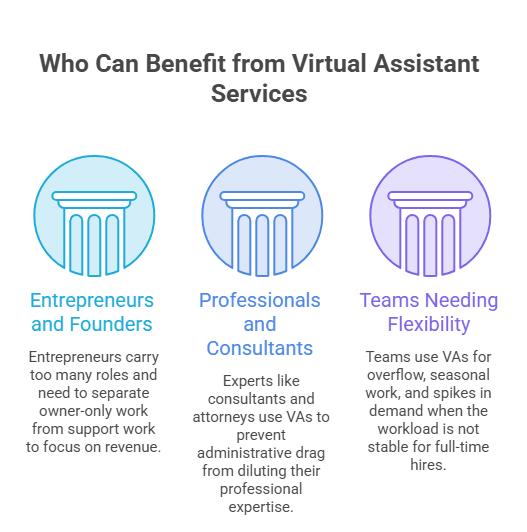
Virtual assistant services can support many types of professionals, not just startup founders or solo entrepreneurs. Any person or team dealing with recurring administrative, operational, customer, or marketing tasks may benefit from structured remote support. The strongest use cases usually involve busy professionals whose time is more valuable when spent on clients, strategy, sales, or delivery.
1. Entrepreneurs, Founders, and Small Business Owners
Entrepreneurs benefit from virtual assistant services because they usually carry too many roles at once. They sell, deliver, invoice, answer customers, manage vendors, post content, schedule calls, research competitors, update websites, and make strategic decisions. A VA helps separate owner-only work from support work.
The Federal Reserve’s 2026 employer-firm survey found that rising costs were the top financial challenge for small businesses, while reaching customers and growing sales was the top operational challenge. In that environment, flexible support is valuable because businesses need efficiency without unnecessary fixed costs.
A founder should delegate tasks that repeat, distract, or delay revenue. That includes scheduling sales calls, preparing lead lists, organizing client documents, sending reminders, updating CRM stages, and preparing weekly operating reports.
2. Professionals, Consultants, and Service Providers
Consultants, coaches, attorneys, accountants, therapists, designers, marketing agencies, real estate professionals, and medical-office administrators can all use virtual assistants. The common issue is that professional expertise gets diluted by administrative drag.
A consultant should not spend premium client hours formatting invoices, chasing scheduling links, or cleaning contact lists. A real estate agent should not lose listing momentum because follow-up tasks are scattered. A marketing agency should not have strategists uploading files and renaming folders when a VA can manage production support.
3. Teams That Need Flexible Capacity
Virtual assistant services are not only for solo entrepreneurs. Teams can use VAs to handle overflow, seasonal work, launch support, customer service spikes, data cleanup, recruiting coordination, event planning, reporting, and documentation. This is especially useful when the workload is real but not yet stable enough for a full-time hire.
BLS projects that overall employment in office and administrative support occupations will decline over the 2024–2034 decade, but still expects about 2 million openings per year in those occupations because workers leave roles permanently and need to be replaced. This suggests administrative work is changing, not disappearing. Businesses still need coordination, organization, and information management; they are simply looking for more flexible ways to source it.
Teams should treat a VA as part of the operating system. Give them visibility into priorities, assign recurring workflows, and include them in the communication structure needed to do the work well.
How to Make Virtual Assistant Services Work Long Term
Long-term success with virtual assistant services depends on process, trust, accountability, and continuous improvement. The most successful businesses do not just assign random tasks; they build repeatable systems that allow remote support to become more valuable over time.
1. Document Processes Before They Break
- Documentation is the foundation of scalable delegation because it turns repeated instructions into reusable operating systems.
- Every recurring task should eventually have a simple SOP that explains the purpose, owner, tools, steps, examples, deadline, quality check, and escalation rule.
- The document does not need to be perfect; it needs to be clear enough for someone else to complete the task consistently.
- Start with the tasks that happen most often, such as inbox triage, calendar scheduling, weekly reporting, CRM updates, customer response tagging, invoice reminders, and content publishing.
- Once documented, workflows become easier to train, review, improve, and transfer.
- Documentation protects the business if the VA is unavailable, changes roles, or needs backup support.
- A good process should not live only in the business owner’s memory or in one assistant’s private notes.
2. Use AI Without Removing Human Accountability
- AI can make virtual assistant services more efficient, but it should not remove review, judgment, or accountability.
- A VA can use AI to draft summaries, clean notes, generate first-pass checklists, organize research, create content outlines, and speed up repetitive writing.
- Human review is still needed to verify accuracy, tone, privacy, brand fit, and business context.
- The U.S. Chamber’s 2025 report found that 58% of small businesses use generative AI, showing that AI-assisted operations are becoming common among small firms.
- Businesses should define which AI tools a VA may use, what information cannot be entered into AI tools, and which outputs require approval.
- AI-generated content, summaries, and research should be checked before being used in customer-facing, legal, financial, or strategic contexts.
- The best model is “AI-assisted, human-owned”: the VA may use AI to work faster, but the workflow still needs a responsible person checking the result.
3. Build a Delegation Culture
- A VA relationship works best when delegation is treated as a management skill rather than an emergency workaround.
- Business owners and team leads should define outcomes, provide context, set deadlines, answer early questions, and review work consistently.
- Delegation is not dumping tasks; it is transferring responsibility with enough structure to succeed.
- A useful delegation brief should explain what needs to be done, why it matters, what good work looks like, what tools are needed, when it is due, and what should be escalated.
- Over time, the VA should move from task-taker to workflow owner.
- That shift happens when the business documents processes, gives feedback, rewards initiative, and builds trust through repeatable systems.
- The outcome is more than saved time; it is a smoother operating rhythm with less stress, fewer missed details, and more room for strategic work.

FAQ Section
1. What are virtual assistant services?
Virtual assistant services are remote support services where trained professionals handle business tasks such as admin work, scheduling, email management, research, customer support, data entry, marketing support, and operations coordination.
2. Should I hire a virtual assistant or a full-time employee?
Hire a virtual assistant if you need flexible, remote, part-time, or specialized support without the full cost of employment. Hire a full-time employee when the role requires deep internal ownership, culture integration, or continuous availability.
3. What tasks should I delegate first?
Start with repeatable, low-risk tasks such as inbox organization, calendar scheduling, CRM updates, data entry, file management, meeting notes, research, reporting, and customer inquiry routing.
4. How much does a virtual assistant cost?
Virtual assistant cost depends on experience, location, specialization, provider model, and task complexity. Administrative support usually costs less than executive, marketing, ecommerce, bookkeeping, or technical support.
5. Are offshore virtual assistant services reliable?
They can be reliable when the business provides clear SOPs, communication rules, secure access, quality checks, and realistic expectations. Offshore VAs work best for documented recurring workflows.
6. How do I know if a VA is performing well?
Track turnaround time, accuracy, communication quality, task completion, customer response speed, backlog reduction, and owner hours saved. Good VA performance should make the business feel more organized and less reactive.
Conclusion: Build a Smarter Support System
Virtual assistant services are not just about hiring remote help. They are about building a smarter support system around the work that keeps your business moving. The right VA can protect your focus, improve consistency, reduce operational drag, support customers, organize workflows, and help your team spend more time on high-value work.
The best results come from matching the assistant to the task, documenting repeatable workflows, setting clear communication rules, measuring outcomes, and expanding responsibility gradually. Whether you are a solo founder, small business owner, consultant, agency, ecommerce brand, or growing team, a virtual assistant can be a practical way to add capacity without immediately adding full-time headcount.
CTA: Ready to explore virtual assistant services for your business? Start by listing the tasks you repeat every week, then identify what can be delegated, documented, and managed remotely.
Sources List
- U.S. Small Business Administration Office of Advocacy — small business counts, business share, and employment share.
- U.S. Bureau of Labor Statistics — American Time Use Survey 2025 results on work-from-home and workplace work patterns.
- U.S. Bureau of Labor Statistics — Employer Costs for Employee Compensation.
- U.S. Bureau of Labor Statistics — Office and Administrative Support Occupations Outlook.
- Pew Research Center — remote workers’ views of returning to the office.
- Federal Reserve Small Business Credit Survey — 2026 Report on Employer Firms.
- Federal Reserve / Cleveland Fed — small business operational and financial challenges.
- U.S. Chamber of Commerce — 2025 small business AI adoption report.
- Google Search Central — AI search and generative AI optimization guidance.
 Siddhartha Basu is a Technical Writer at Task Virtual. He loves online games, e-book reading, and Yoga.