Contents
show
HubSpot CRM Onboarding Checklist: Step-by-Step Setup
Investing in HubSpot CRM onboarding today means more than implementing a tool – it’s about fundamentally rethinking how your business captures, manages, and converts customer relationships. In 2026, onboarding has evolved into a strategic, data-driven process that integrates AI-powered automation, aligns marketing and sales through RevOps, and adapts to specific growth objectives rather than relying on a one-size-fits-all setup.
With the global CRM market projected to surpass $145 billion by 2029, the stakes are high—yet around 30% of CRM implementations still fail, often due to poor onboarding and low user adoption. A structured, well-executed HubSpot onboarding roadmap—covering everything from initial configuration to advanced automation—is essential for avoiding these pitfalls, ensuring user adoption, and accelerating measurable ROI.
Why HubSpot CRM Onboarding Matters
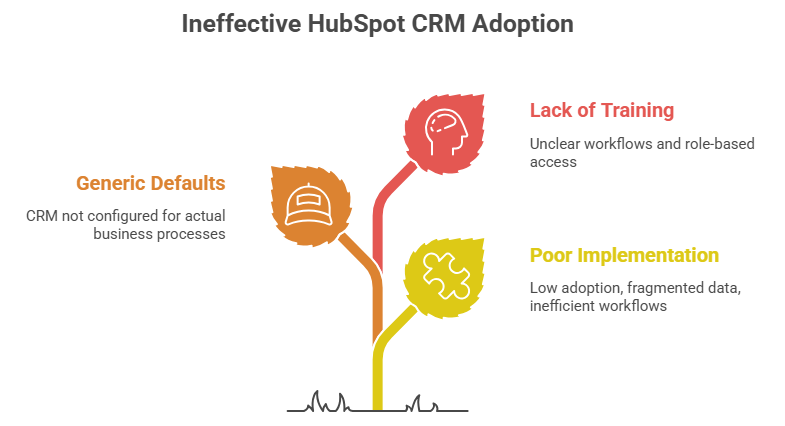
HubSpot CRM onboarding is critical because it determines how effectively your teams adopt and use the system from day one. A structured onboarding ensures clean data, aligned processes, and seamless integration across sales, marketing, and service. Without it, businesses risk poor adoption, inaccurate reporting, and missed revenue opportunities. Done right, it accelerates ROI via targeted ads and creates a scalable foundation for growth.
1. The Cost of Poor CRM Implementation
Poor CRM implementation leads to low user adoption, fragmented data, and inefficient workflows that slow down sales and marketing efforts. It often results in inaccurate reporting, making it difficult to make informed business decisions. Over time, this misalignment can cause missed revenue opportunities and wasted investment. Ultimately, it turns what should be a growth engine into a costly operational burden.
2. Benefits of Structured Onboarding
Structured onboarding ensures your CRM is configured around your actual business processes, not generic defaults. It drives higher user adoption by providing clear workflows, training, and role-based access from the start. With clean, well-organized data and integrated systems, teams can make faster, more accurate decisions. Ultimately, it accelerates ROI and creates a scalable foundation for consistent growth.
3. Who Needs HubSpot Onboarding
HubSpot onboarding is essential for businesses implementing CRM for the first time or HubSpot CRM migrating from another system to HubSpot CRM. It’s especially valuable for growing teams that need structured sales, marketing, and service processes aligned under one platform. Companies aiming to leverage automation, improve data accuracy, and scale revenue operations will benefit the most. Even experienced teams need onboarding to utilize HubSpot’s advanced features and integrations fully.
Pre-Onboarding Planning: Set the Foundation
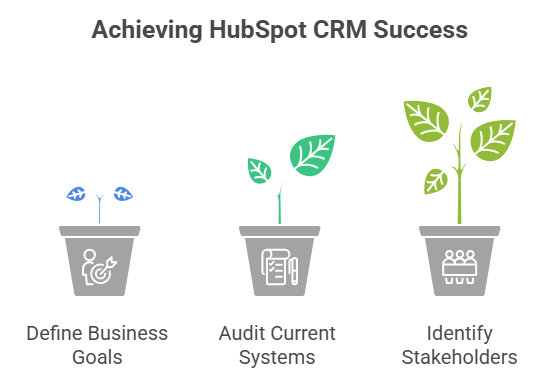
Pre-onboarding planning is where you define the strategic foundation for a successful HubSpot CRM implementation. It involves clarifying business goals, mapping existing processes, and identifying key data and integration requirements. This phase ensures your CRM is aligned with revenue operations from the start—especially important since projects with clearly defined objectives are up to 70% more likely to succeed. A solid plan minimizes rework, accelerates deployment, and sets the stage for long-term success.
1. Define Business Goals and KPIs
Defining business goals and KPIs ensures your HubSpot CRM is aligned with measurable outcomes, not just activity tracking. Clear objectives—such as lead conversion rates, sales cycle length, or customer retention—help guide system configuration and automation. Well-defined KPIs provide visibility into performance and enable data-driven decision-making. Without them, it’s difficult to measure success or optimize your CRM strategy effectively.
2. Audit Your Current Systems
Auditing your current systems helps identify gaps, redundancies, and data inconsistencies before moving into HubSpot. It involves reviewing existing tools, data structures, workflows, and integrations across sales, marketing, and service. This step ensures a smooth migration by cleaning data and eliminating inefficiencies. A thorough audit prevents future issues and lays the groundwork for a more streamlined CRM setup.
3. Identify Stakeholders and Teams
Identifying stakeholders and teams ensures everyone involved in the CRM rollout is aligned from the start. This includes sales, marketing, customer success, and leadership who will use or rely on the system. Clear roles and responsibilities of the virtual assistants help streamline decision-making and accountability. Early involvement also improves adoption and ensures the CRM reflects real operational needs.
Steps For The HubSpot CRM Onboarding Process

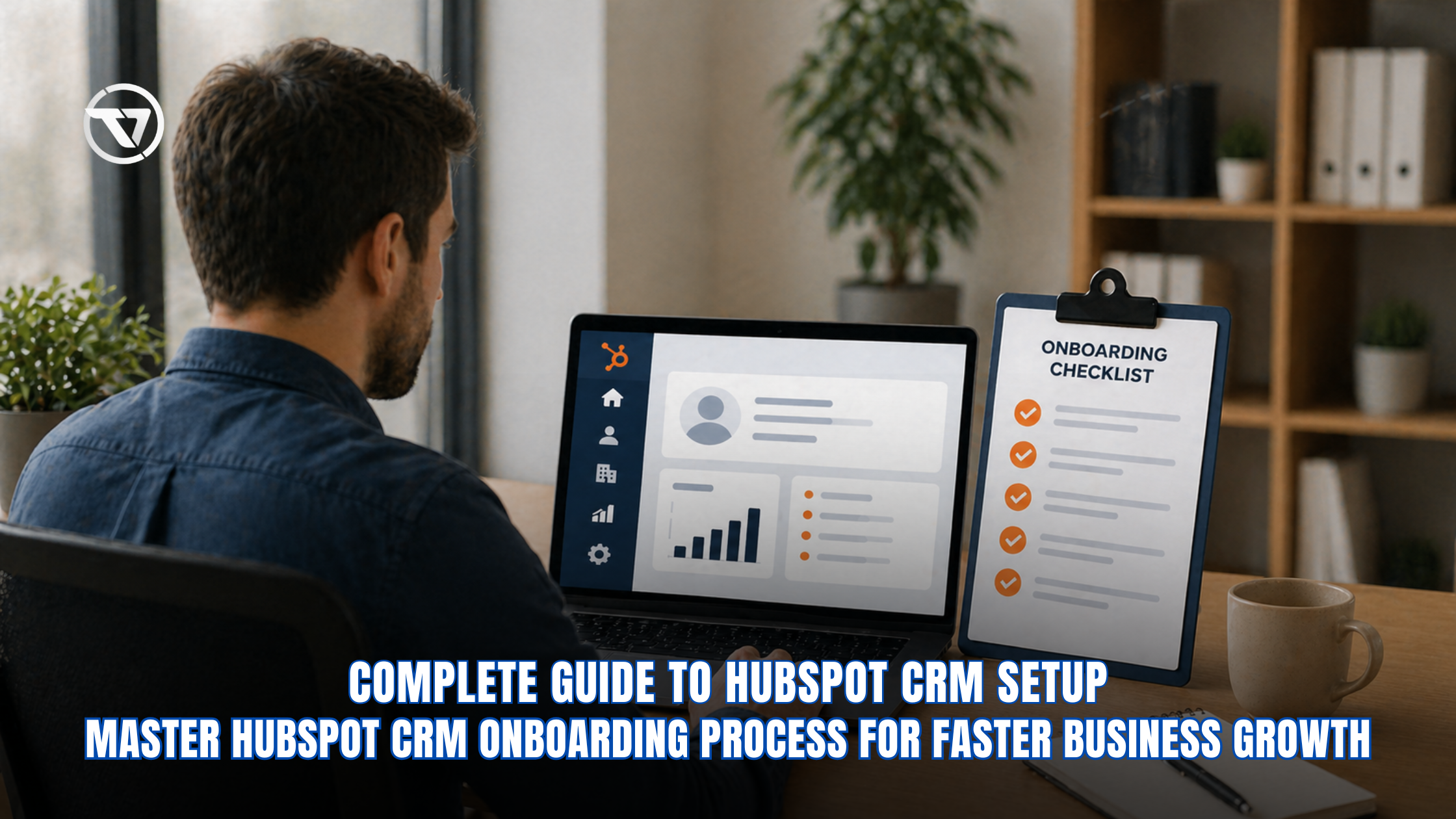
A successful hubspot crm onboarding requires a structured, end-to-end approach that aligns technology with your business processes. From initial setup to post-launch optimization, each step plays a critical role in ensuring long-term CRM success. The following checklist simplifies the entire onboarding journey into actionable steps for efficient implementation.
- Set up your HubSpot account by selecting the right plan, assigning user roles, and customizing key CRM properties to fit your business needs.
- Import contacts and company data from existing sources, then clean and standardize it by removing duplicates and validating key fields.
- Build your sales pipeline with defined stages and align it with real workflows while enabling deal tracking and forecasting.
- Set up marketing automation with lead capture forms, email workflows, and audience segmentation for effective onboarding marketing crm hubspot execution.
- Integrate customer service tools by configuring ticketing, creating a knowledge base, and automating feedback collection, like NPS and CSAT.
- Connect HubSpot with third-party tools such as email, e-commerce, and analytics platforms for a unified ecosystem.
- Configure reporting by building dashboards, setting attribution models, and tracking key performance metrics.
- Train your team with role-based onboarding, encourage CRM usage, and establish best practices for consistency.
- Continuously optimize by analyzing performance, refining workflows, and scaling with advanced features like AI forecasting.
Should You Hire Experts for HubSpot Onboarding?
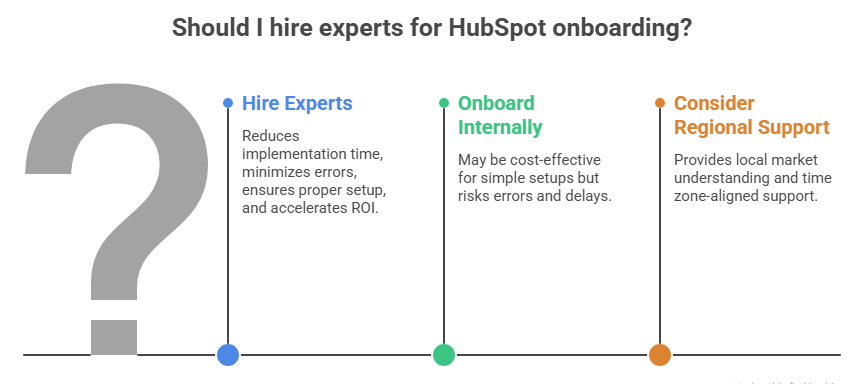
Hiring experts for HubSpot onboarding can significantly reduce implementation time and costly mistakes. Specialists bring proven frameworks, technical expertise, and best practices to align the CRM with your business goals. They also ensure proper setup of automation, integrations, and data structure from the start—critical, as organizations using external expertise see up to 34% higher project success rates. For growing or complex organizations, expert guidance often leads to faster adoption and higher ROI.
1. Benefits of Professional Onboarding Services
Professional onboarding services ensure your HubSpot CRM is implemented using proven frameworks and industry best practices. They reduce setup time, minimize costly errors, and ensure your data, workflows, and integrations are configured correctly from the start. With expert guidance, teams adopt the system faster and use it more effectively. Ultimately, this leads to improved performance, scalability, and a faster return on investment.
2. When to Consider External Help
Consider external help when your CRM setup involves complex workflows, multiple integrations, or large-scale data migration. It’s also valuable if your internal team lacks the time or technical expertise to manage onboarding effectively. Rapidly growing businesses or those aligning sales, marketing, and service under RevOps often benefit from expert guidance. Bringing in specialists at the right time can prevent costly mistakes and accelerate time to value.
3. Regional Support Options
Regional support options for HubSpot onboarding allow businesses to work with partners who understand local market dynamics, regulations, and business practices. This is especially useful for aligning CRM strategies with regional sales processes and customer behavior. Local partners can also provide time zone–aligned support and faster communication for the virtual assistant. Choosing the right regional support improves implementation efficiency and long-term success.
How Virtual Assistants Help with HubSpot CRM Onboarding
- Virtual assistants streamline data migration by organizing, importing, and cleaning datasets while removing duplicates for accurate onboarding.
- They support CRM setup by assisting with pipelines, custom properties, and user roles to align with business workflows.
- Virtual assistants manage marketing and sales automation by creating workflows, forms, and campaigns for onboarding marketing crm hubspot.
- They handle integrations by connecting HubSpot with email, analytics, and e-commerce tools for a unified system.
- Virtual assistants maintain CRM performance by updating data, monitoring activity, and refining workflows over time.
- They boost team productivity by handling repetitive tasks, improving adoption, and freeing teams for high-value work.
TaskVirtual: Your HubSpot CRM Onboarding Support Partner

Implementing a CRM like HubSpot involves multiple moving parts—from data migration and pipeline setup to automation and team training. Managing all these tasks internally can slow down adoption and impact ROI. TaskVirtual offers specialized hubspot crm onboarding virtual assistant services to streamline your hubspot crm onboarding process, ensuring faster implementation and better outcomes.
1. Expert CRM Setup and Guidance:
TaskVirtual’s trained virtual assistants help configure your HubSpot environment, including pipelines, properties, and integrations. They ensure your system aligns with your business workflows and supports both onboarding, marketing crm hubspot and sales processes effectively.
2. Affordable and Flexible Pricing:
Hiring in-house CRM specialists can be costly. TaskVirtual provides a cost-efficient alternative with pricing plans ranging from $3.12/hour to $14.99/hour, making professional onboarding support accessible to startups and growing businesses.
3. End-to-End Onboarding Assistance:
Virtual assistants help with data management, setting up automation workflows, and creating reporting dashboards. TaskVirtual covers every aspect of your hubspot crm system onboarding. Their services are scalable, whether you need short-term setup help or long-term CRM management.
4. Continuous Optimization and Support:
Beyond initial setup, TaskVirtual assists with refining workflows, monitoring CRM performance, and improving automation strategies. This ongoing support ensures your CRM evolves alongside your business needs.
5. Trusted by Businesses Worldwide:
With 364 positive reviews and a 4.7-star rating, TaskVirtual has built a reputation for delivering reliable virtual assistant services. Businesses trust their expertise to simplify CRM onboarding and improve operational efficiency.
Conclusion + CTA
A successful hubspot crm onboarding process is the difference between a CRM that collects dust and one that drives measurable revenue growth. By following this structured checklist—from planning and migration to automation and optimization—you position your business for scalable success in a competitive, data-driven market. If you want faster results, fewer errors, and a fully optimized system, consider working with certified onboarding specialists or agencies. Ready to transform your CRM into a revenue engine? Start your HubSpot onboarding today and build a smarter, more connected business.
Sources
- Statista – CRM market revenue: https://www.statista.com/
- Gartner CRM insights: https://www.gartner.com/
- Forrester Research: https://www.forrester.com/
- Nucleus Research CRM ROI: https://nucleusresearch.com/
- McKinsey digital transformation stats: https://www.mckinsey.com/
- Harvard Business Review CRM alignment: https://hbr.org/
- IBM data quality report: https://www.ibm.com/reports/data-breach
- Campaign Monitor email automation stats: https://www.campaignmonitor.com/
- Zendesk benchmark report: https://www.zendesk.com/
- CSO Insights CRM adoption: https://www.csoinsights.com/
For more such content, visit our website.
 Siddhartha Basu is a Technical Writer at Task Virtual. He loves online games, e-book reading, and Yoga.