Contents
show
Is Adobe Firefly Better Than Midjourney
Adobe Firefly and Midjourney are two of the most influential AI image platforms in 2025, but they serve different creative purposes. Firefly prioritizes professional design production, predictable results, and commercial safety inside Adobe’s ecosystem, while Midjourney emphasizes expressive, artistic generation for experimentation and visual storytelling. Adobe reports that 83% of creative professionals use generative AI in their work, showing how central these tools have become. Many creators use both in practice, often leaning on Midjourney for concept exploration and Firefly for polished, client-ready assets. The key question is fit: workflow, audience, and business risk.
What Are Adobe Firefly and Midjourney?
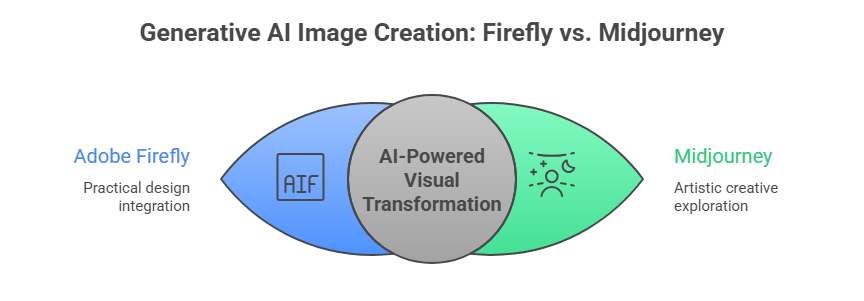
Generative AI has reshaped how images are created, enabling professionals and hobbyists to transform text prompts into detailed visuals within seconds. Adobe Firefly and Midjourney represent two leading approaches to this technology, each designed with different user needs in mind. Firefly is tightly connected to established design software, whereas Midjourney grew from an online creative community centered on artistic exploration.
1. Adobe Firefly
Adobe Firefly is Adobe’s generative AI platform integrated directly into Photoshop, Illustrator, Express, and other Creative Cloud tools. It emphasizes the creation of practical design elements such as marketing graphics, product imagery, and editable vectors that can be refined within traditional workflows. Firefly is trained on licensed and public-domain material, giving businesses greater confidence when using AI outputs for commercial campaigns.
2. Midjourney
Midjourney is an independent AI image generator accessed primarily through Discord, known for a highly imaginative visual style. Its Discord server has roughly 19.8 million members, underscoring reach. The platform interprets prompts with artistic freedom, often producing cinematic lighting, painterly textures, and surreal compositions prized by illustrators, concept artists, and designers.
How Adobe Firefly Works

Adobe Firefly operates as an AI design assistant embedded inside Adobe applications, allowing users to generate images without leaving professional editing environments. The system is designed around precision and repeatability so that outputs can be directly incorporated into marketing layouts and brand systems. Rather than replacing designers, Firefly aims to accelerate routine production tasks and visual ideation.
1. Workflow Approach
Firefly generates content through panels inside Photoshop, Illustrator, and Express, enabling text-to-image creation, generative fill, and vector recoloring within a single interface. Designers can refine prompts while viewing immediate previews on the same canvas used for final production. This approach reduces the need to move files between multiple tools.
2. Licensing & Control
The model is trained on Adobe-owned and licensed datasets, which support safer commercial usage for agencies and enterprises. Users can apply brand colors, composition guides, and typography-friendly layouts to maintain corporate identity. Such controls help large teams produce consistent assets at scale.
3. Practical Output
Firefly excels at backgrounds, icons, packaging visuals, and social templates that must align with existing design systems. Outputs are layered and editable, allowing professionals to adjust details instead of starting over. The emphasis is on reliable, production-ready graphics rather than purely artistic expression.
How Midjourney Works
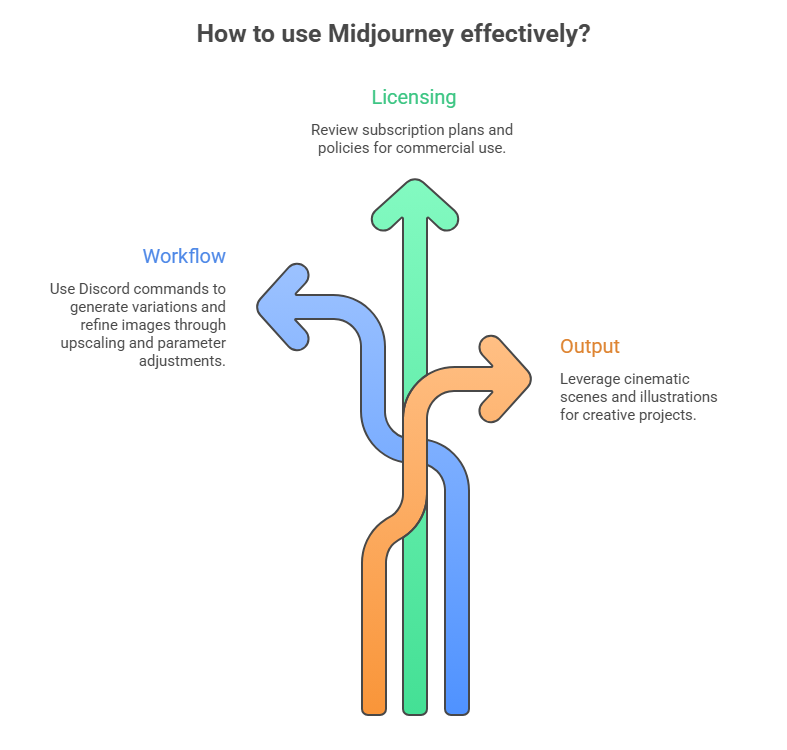
Midjourney functions as a creative engine focused on imagination rather than structured design rules, delivering images through a Discord-based interface. Users interact with the AI using natural language prompts and parameters that influence mood, style, and composition. The platform encourages exploration and iteration rather than strict predictability.
1. Workflow Approach
Images are generated by entering commands in Discord, which return several variations for further refinement. Users can upscale, remix, and adjust parameters such as style strength or aspect ratio to guide the next iteration. The process feels conversational and experimental.
2. Licensing & Control
Midjourney offers flexible usage terms but with fewer formal guarantees compared to Adobe’s enterprise framework. Creators must review subscription plans and policies when planning commercial distribution. Control is achieved through prompt crafting rather than predefined brand settings.
3. Practical Output
The platform is known for cinematic scenes, fantasy characters, and painterly illustrations that often resemble handcrafted art. Outputs can serve as concept pieces, book covers, or visual storytelling elements. Many professionals use Midjourney to spark ideas before moving to other tools for final refinement.
Benefits of Using Adobe Firefly and Midjourney

AI image tools reduce production time, expand creative possibilities, and allow non-experts to visualize ideas that once required specialist skills. They serve as rapid prototyping engines, helping teams test directions before committing to full campaigns. When used responsibly, these platforms complement human creativity instead of replacing it.
1. Adobe Firefly
Firefly provides dependable commercial licensing, making it suitable for client work, advertising, and corporate branding where legal clarity is essential. Its deep integration with Creative Cloud means designers can move seamlessly from AI generation to manual refinement without exporting files between platforms. The system also supports brand consistency through controlled styles and repeatable templates.
2. Midjourney
Midjourney delivers unparalleled stylistic diversity, enabling creators to explore visual territories that would be difficult to sketch manually. It is ideal for early-stage ideation, world-building, and mood development where originality matters more than strict brand rules. The platform’s community culture accelerates learning and inspiration.
Key Differences: Firefly vs Midjourney
| Feature | Adobe Firefly | Midjourney |
|---|---|---|
| Core Focus | Commercial creative workflows | Artistic image generation |
| Licensing | Clear commercial rights | Permissive but less formal |
| Integration | Built into the Adobe ecosystem | Stand-alone with Discord interface |
| Output Style | Clean, predictable, design-ready | Artistic, varied, imaginative |
| Customization | Strong design control | Strong stylistic creativity |
| User Base | Designers, teams, professionals | Artists, creatives, concept designers |
| Ease of Use | Familiar UI in Adobe tools | Requires a Discord learning curve |
| Best For | Brand assets, product visuals | Concept art, experimental designs |
Evaluation Criteria

Choosing between the two platforms requires examining practical factors rather than raw novelty alone. Output relevance, workflow compatibility, legal safety, and creative flexibility all influence real-world value. Each criterion highlights a different strength that may matter more depending on the project.
1. Output Quality & Style
Firefly produces clean, balanced images optimized for marketing layouts, user interfaces, and print materials, favoring clarity over dramatic flair. Midjourney generates visually striking compositions with rich textures and cinematic lighting that often resemble professional illustration. For organizations needing brand-consistent assets, Firefly’s precision typically delivers more usable first drafts, while Midjourney shines when emotional impact is the primary goal.
2. Ease of Use
Firefly feels intuitive to anyone familiar with Adobe software, presenting sliders, panels, and real-time previews instead of command syntax. Midjourney requires learning Discord prompts and parameters, which can initially slow newcomers. Over time, Midjourney becomes powerful, yet Firefly generally offers a shorter path from idea to finished design.
3. Commercial Use & Licensing
Firefly’s licensing framework is built for enterprises that demand clear rights management and audit trails, reducing uncertainty for client deliverables. Midjourney allows commercial usage under its terms but does not provide the same corporate assurances. For regulated industries or large brands, Firefly’s legal structure often aligns better with procurement requirements.
4. Integration With Creative Workflows
Firefly lives inside Photoshop, Illustrator, and Express, enabling direct editing, layering, and color management without file conversions. Midjourney outputs must be downloaded and then imported into external tools for further work. Teams seeking streamlined pipelines usually experience fewer friction points with Firefly.
5. Creativity & Artistic Flexibility
Midjourney offers a broader stylistic range and unexpected interpretations that can spark new ideas beyond a designer’s original vision. Firefly maintains tighter control, which prevents surprises but can feel conservative for experimental art. When the objective is exploration rather than production efficiency, Midjourney typically provides richer inspiration.
Output Examples (Hypothetical Use Cases)
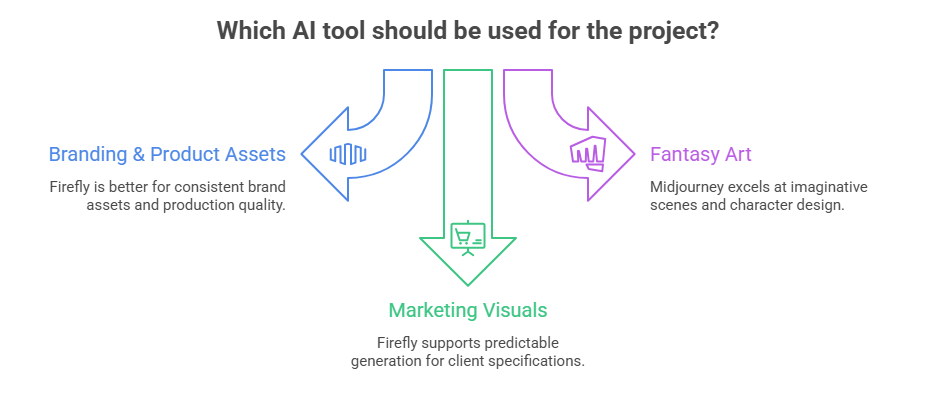
Different projects highlight contrasting advantages between the platforms, and understanding these scenarios clarifies practical decision-making. AI tools rarely replace full design processes; instead, they support specific stages such as ideation, asset creation, or presentation. The following contexts illustrate typical outcomes.
1. Branding & Product Assets
Firefly can generate logo variations, packaging mockups, and social media graphics that align with established brand systems, allowing marketing teams to iterate quickly. Midjourney may propose bold visual directions that inspire a campaign’s mood but often require significant cleanup for corporate use. For consistent brand libraries, Firefly usually delivers assets closer to final production quality.
2. Fantasy or Creative Art
Midjourney excels at imaginative scenes, character design, and world-building, where expressive lighting and surreal composition are desirable. Firefly can produce functional backgrounds or props, but tends to avoid extreme stylization. Storytellers and game artists often achieve more compelling results with Midjourney’s artistic engine.
3. Marketing & Commercial Visuals
Firefly supports predictable generation of banners, product shots, and web imagery that meet client specifications and legal requirements. Midjourney offers eye-catching visuals for conceptual pitches or editorial illustrations, though additional review may be necessary before publication. Campaign teams frequently combine both tools at different stages.
Limitations

No generative platform solves every creative challenge, and understanding constraints prevents unrealistic expectations. Both systems require human direction, ethical consideration, and post-editing. Their weaknesses reflect the priorities embedded in their design.
1. Adobe Firefly
Firefly’s structured approach can feel restrictive for artists seeking unconventional aesthetics, sometimes producing images that appear overly polished or generic. Achieving truly original styles may require significant manual refinement inside Adobe applications. The focus on safety and predictability occasionally limits imaginative risk.
2. Midjourney
Midjourney’s results can be inconsistent, requiring many iterations to achieve a specific commercial brief. The Discord-based workflow may frustrate professionals accustomed to visual interfaces. Licensing terms, while usable, demand careful interpretation for high-stakes corporate projects.
TaskVirtual: Your Partner in AI Image and Creative Workflow Support

Managing AI tools like Adobe Firefly and Midjourney requires time, technical understanding, and continuous experimentation. TaskVirtual offers professional Virtual AI Assistants who help businesses and creators handle tasks such as prompt writing, image generation, organization, and post-processing, allowing creative teams to focus on strategy and design decisions instead of repetitive operations.
1. Expert AI Assistance and Optimization
TaskVirtual assistants help craft effective prompts, generate multiple variations, organize image libraries, and prepare outputs for Photoshop or Illustrator, ensuring that Firefly and Midjourney are used efficiently for real projects.
2. Affordable and Flexible Pricing
Hiring in-house specialists can be costly, but TaskVirtual provides cost-effective support with pricing from $3.12/hour to $14.99/hour, making professional AI workflow management accessible to individuals, startups, and agencies.
3. End-to-End Creative Management
From managing Discord Midjourney channels to organizing Firefly assets inside Creative Cloud, TaskVirtual handles file naming, version control, resizing, and formatting for marketing, web, and social media needs.
4. Continuous Support and Coordination
Their assistants provide ongoing revisions, scheduling, and coordination between designers, marketers, and clients to ensure that AI-generated visuals remain consistent with brand direction.
5. Proven Reliability
With 364 positive reviews and a 4.7-star rating, TaskVirtual is trusted globally to streamline digital and creative workflows with dependable virtual assistance.
Final Answer: Is Adobe Firefly Better Than Midjourney?
Adobe Firefly is better when the priority is professional production, brand consistency, and legally secure assets that integrate directly into established design pipelines. Organizations that need repeatable marketing visuals, product imagery, and collaboration across Creative Cloud will generally achieve faster and safer results with Firefly’s structured environment.
Midjourney is better when the objective is artistic discovery, conceptual storytelling, and visually daring compositions that push beyond conventional design boundaries. Creators who value mood, originality, and experimentation often find Midjourney more inspiring, even if additional steps are required to prepare outputs for commercial release.
FAQ: Adobe Firefly vs Midjourney
1. Can Firefly and Midjourney be used together?
Yes — use Midjourney for inspiration and Firefly for design-ready final assets.
2. Which one is easier for beginners?
Firefly tends to be easier due to the visual UI and familiar Adobe integration.
3. Which tool is better for commercial projects?
Firefly is due to its licensing model, tailored for professional use.
4. Does Midjourney require Discord?
Yes — access and generation happen via Discord commands.
5. Do both tools support text-to-image generation?
Yes — but in different stylistic directions.
 Siddhartha Basu is a Technical Writer at Task Virtual. He loves online games, e-book reading, and Yoga.