Contents
show
How HubSpot CRM Free Is Becoming an AI-Powered Growth Engine
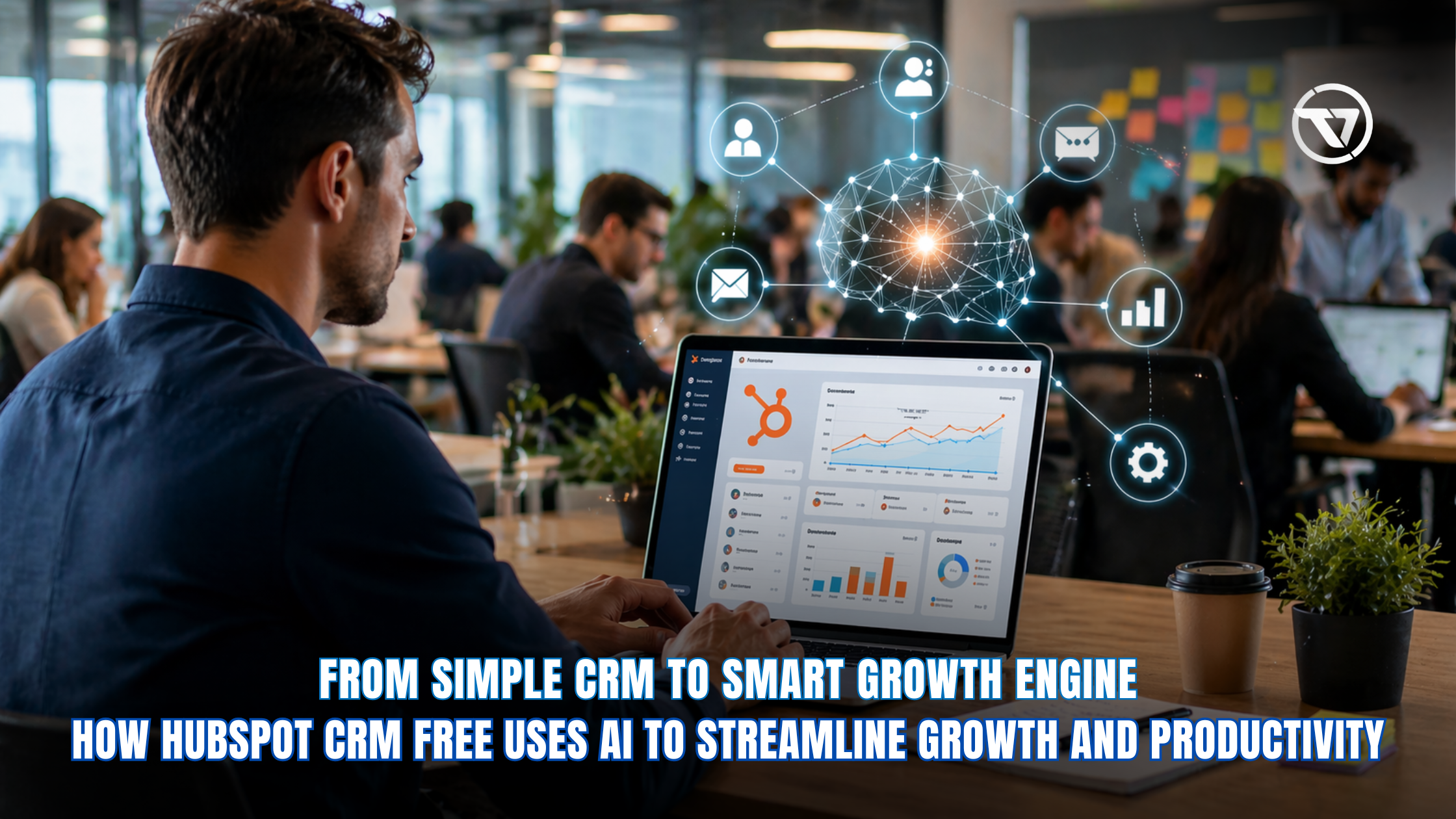
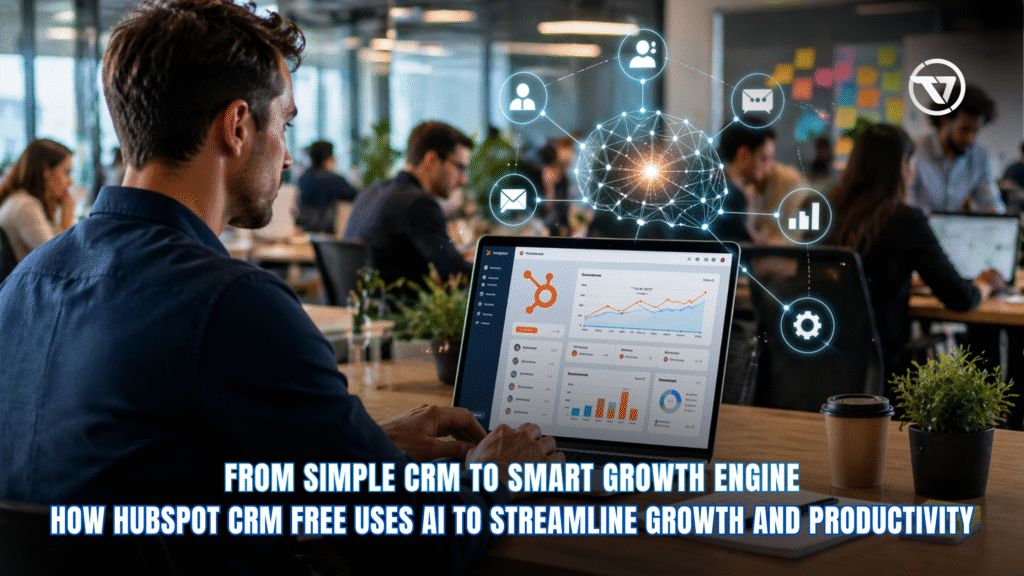
Small U.S. businesses face fierce competition in 2026, but free AI tools are leveling the playing field. HubSpot CRM free stands out as the AI-powered growth engine that transforms how teams manage contacts, close deals, and scale without a budget. In fact, studies show that businesses using CRM systems can see up to a 45% increase in revenue on average. This free HubSpot CRM delivers core features plus Breeze AI, making it ideal for startups and solopreneurs. With 1 million contacts and unlimited users, the free plan turns raw data into actionable growth. Here’s how hubspot crm free features and AI upgrades make it smarter than ever.
What Is HubSpot CRM Free in 2026
HubSpot CRM free provides a complete customer platform at $0 forever, making it one of the most accessible tools for businesses entering digital sales and marketing. It unifies sales, marketing, and service data in one centralized dashboard, giving teams a single source of truth for all customer interactions. This eliminates data silos and allows businesses to track the entire customer journey—from first touchpoint to closed deal—without switching between multiple tools.
1. Core Features of the Free Plan
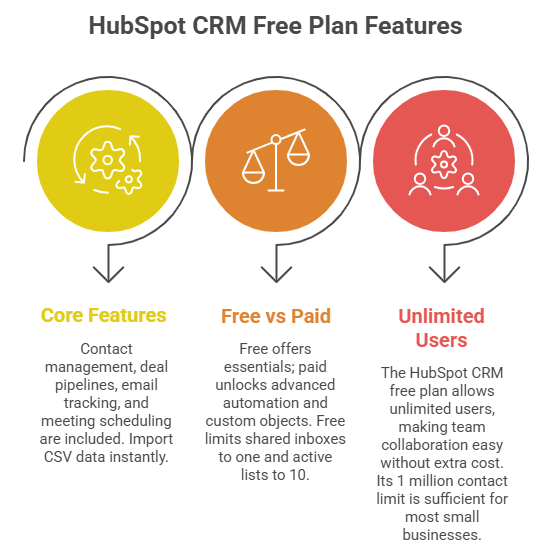
Contact management, deal pipelines, email tracking, and meeting scheduling come standard. Import CSV data instantly. The reporting dashboard tracks KPIs without extra cost. Breeze Assistant (Beta) summarizes records and preps call scripts using AI. These free hubspot crm features support unlimited users and 1 million contacts.
2. HubSpot CRM Free vs Paid: Key Differences
Free offers essentials; paid unlocks advanced automation and custom objects. Hubspot crm free vs paid shows free limits shared inboxes to one and active lists to 10. Paid starts at $15/seat for deeper AI agents and unlimited lists. Free suits teams under 10; paid fits enterprises needing 200+ notifications monthly.
3. Unlimited Users and Massive Contact Limits
The hubspot crm free plan allows unlimited users, making team collaboration easy without extra cost. Its 1 million contact limit is sufficient for most small businesses. With no data expiration, companies can maintain long-term records and insights to support steady growth.
How AI Powers the Free HubSpot CRM
AI integration turns HubSpot CRM free into a proactive growth tool rather than just a database. It helps automate repetitive tasks, generate insights, and improve decision-making—capabilities that matter as studies show AI can improve productivity by up to 60% in certain business processes. Breeze AI powers research, summaries, and content creation within the free tier, allowing small teams to work more efficiently.
1. Breeze Assistant and Everyday AI Tools
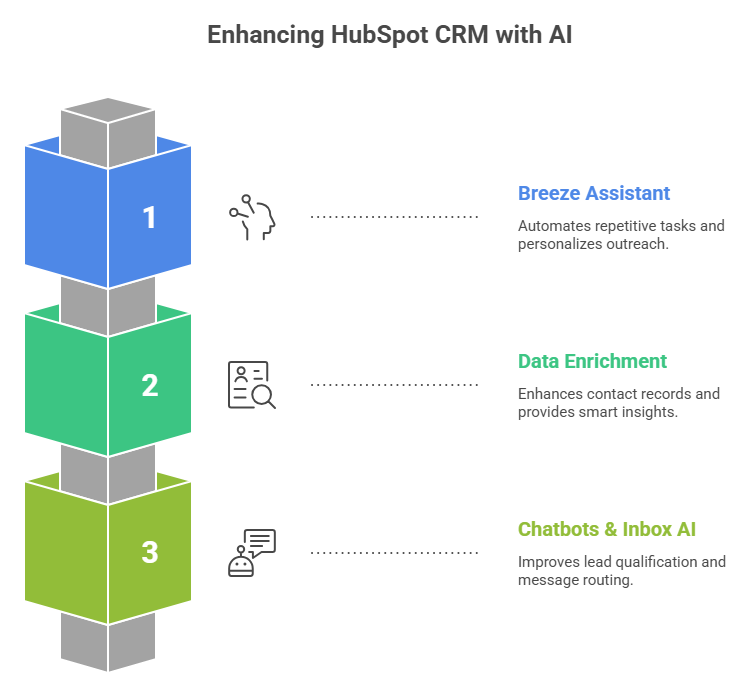
Breeze Assistant researches companies, drafts emails, and flags pipeline issues automatically. It also helps create personalized outreach using built-in AI writing tools. These features reduce repetitive work and can cut manual effort by up to 40% for busy users.
2. Data Enrichment and Smart Insights
AI enriches contact records by pulling relevant web data, keeping profiles more complete. The Data Agent answers questions like “What deals close this month?” using CRM data and activity history. AI Overviews (Beta) highlight gaps, risks, and opportunities for better decision-making.
AI chatbots qualify leads and capture information 24/7, ensuring no missed opportunities. The shared inbox suggests replies and routes messages efficiently. These features improve response time and help boost conversions without adding extra staff.
HubSpot CRM Free vs Paid: Real Value Breakdown

- Choosing between HubSpot CRM free and paid plans depends on business scale, with the free version covering around 80% of daily needs for most users.
- Paid plans add advanced automation, custom objects, stronger AI agents, unlimited lists, and remove limits like 3 dashboards and 10 reports.
- The free plan saves $180+ per user annually, and many businesses stay free until handling 50+ deals per month.
- CRM adoption is linked to up to 45% higher revenue, making paid upgrades a strategic growth investment.
- Upgrading becomes necessary when businesses need advanced reporting, 1,000+ lists, or greater automation to support increasing lead volume with lead generator virtual assistant.
Benefits for U.S. Small Businesses and Startups
American entrepreneurs use HubSpot free CRM to compete with larger rivals by leveraging AI, automation, and centralized customer data—without the cost of enterprise tools. In fact, research shows that companies using CRM systems can improve customer retention rates by up to 27%. It helps small teams operate more efficiently, improve customer relationships, and scale faster with limited resources.
1. Streamlining Sales and Pipeline Management
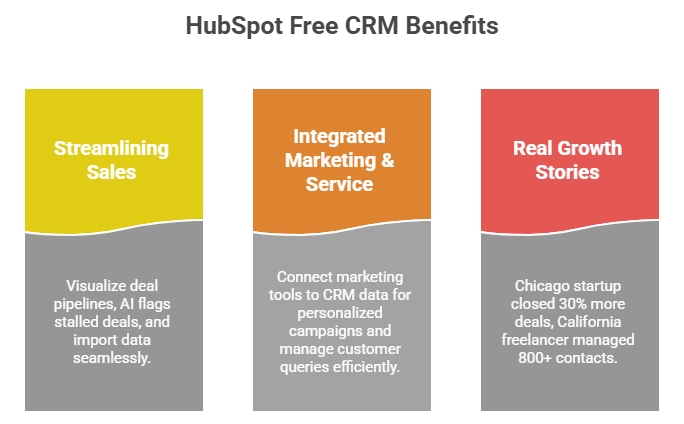
Deal pipelines visualize every stage of the sales journey, giving teams clear visibility into progress and priorities. AI flags stalled deals early, helping businesses take quick action to recover opportunities. Free CRM import tools pull data from Gmail and Outlook seamlessly, reducing manual entry and ensuring all interactions are tracked in one place.
2. Integrated Marketing and Service Tools
Free marketing tools include forms, landing pages, and email sequences that are directly connected to CRM data, enabling more personalized campaigns. Service features allow businesses to track tickets, manage customer queries, and maintain organized communication—all within the same platform, improving efficiency and customer satisfaction.
3. Real Growth Stories from American Users
A Chicago startup closed 30% more deals using Breeze AI summaries, while a California freelancer managed over 800 contacts without limits, scaling operations independently. These examples highlight how free hubspot crm limitations rarely impact early-stage growth and show how businesses can achieve measurable results without upgrading early.
Limitations of the HubSpot CRM Free Plan
- While HubSpot CRM free is powerful, it includes limits like one shared inbox, 10 active lists, and 200 monthly notifications.
- Customization is restricted, with limited form styling and only five canned responses available.
- These constraints keep the free plan simple but may impact growing teams with higher activity.
- Workarounds include using multiple free accounts or integrating tools like Zapier to extend functionality.
- Most small businesses won’t hit these limits until they manage 50+ leads daily, making it suitable for early-stage growth.
Getting Started with Free HubSpot CRM
Getting started with HubSpot CRM free is quick and beginner-friendly, making it ideal for startups and small teams. The platform is designed for fast onboarding, so you can move from signup to active pipeline management in minutes—without needing technical expertise or a credit card. Its intuitive interface and guided setup help users start capturing, organizing, and acting on customer data right away.
1. Step-by-Step Account Creation
Visit hubspot.com/products/crm, sign up with your email, and connect Gmail or Outlook for seamless syncing of conversations and contacts. Once connected, you can import existing contacts in one click using CSV files or integrations. HubSpot also provides guided prompts to help you set up your first pipeline, making the transition from spreadsheets or other tools smooth and efficient.
2. Maximizing AI from Day One
Enable Breeze Assistant immediately to unlock AI-powered features like email drafting, contact summaries, and deal insights. Customize AI suggestions based on your business type to improve accuracy and relevance. Regularly reviewing AI Overviews helps identify missing data, risks, and opportunities, allowing you to make smarter decisions from the start.
3. Best Practices for Long-Term Success
Log every customer interaction to maintain a complete and reliable database. Set up simple pipelines that match your sales process to keep deals organized. Use free chatbots for lead generation and automate follow-ups where possible. Consistently monitor performance through built-in dashboards and reports to refine your strategy and support steady, long-term growth.
The Future of HubSpot CRM Free as an AI Growth Engine
- HubSpot is expected to expand its free tier with more AI agents by late 2026, improving automation and decision-making.
- AEO (AI Engine Optimization) tools will help businesses gain better visibility in AI-driven search results.
- Free users will continue to receive early access to beta features, enabling faster adoption of innovations.
- HubSpot CRM free combines zero cost with powerful AI capabilities, making it accessible for businesses at any stage.
- Unlimited users and scalable contact limits support long-term growth without additional expenses.
- Built-in AI insights and automation help businesses make smarter decisions and scale more efficiently.
How Virtual Assistants Help with HubSpot CRM
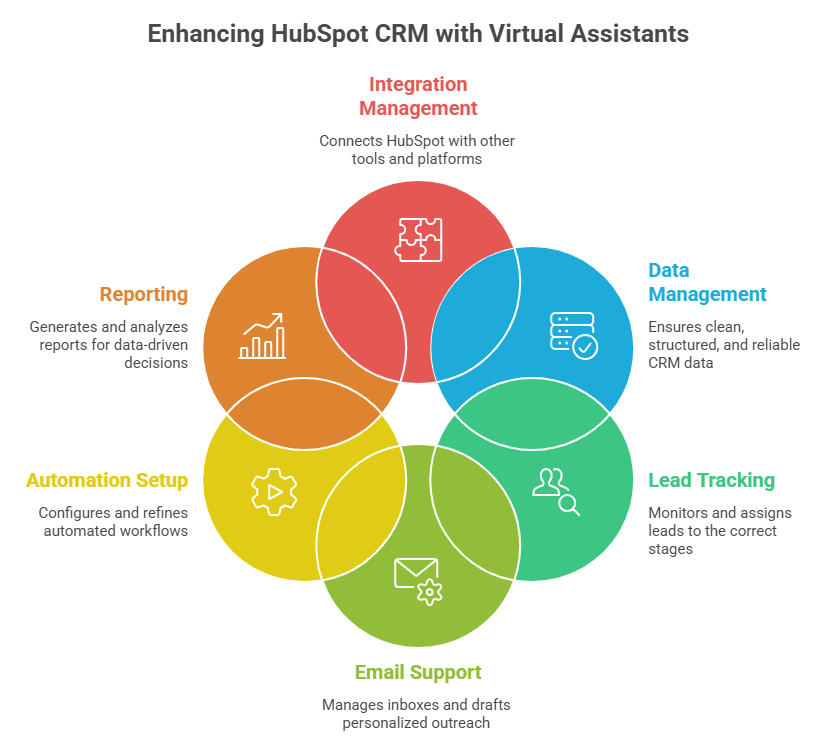
Managing a CRM setup service effectively requires consistent data entry, timely follow-ups, and ongoing optimization—tasks that can overwhelm small teams. Virtual assistants (VAs) play a critical role in helping businesses unlock the full potential of HubSpot CRM free without increasing overhead.
1. Data Management and Organization
Virtual assistants keep your CRM clean, structured, and reliable by updating contact records, removing duplicates, and organizing lists based on segments like lead source or engagement level. They also standardize data formats and ensure all fields are properly filled. This level of organization improves data accuracy and makes AI-driven insights more effective for decision-making.
2. Lead Tracking and Pipeline Updates
VAs actively monitor incoming leads from forms, emails, and integrations, ensuring every opportunity is captured. They assign leads to the correct stages, update deal statuses, and set follow-up reminders. This real-time pipeline management helps sales teams maintain full visibility and reduces the risk of losing potential deals due to delays or oversight.
3. Email and Communication Support
From scheduling emails to logging conversations, virtual assistants ensure every interaction is properly tracked within HubSpot. They can manage inboxes, respond to basic inquiries, and assist in drafting personalized outreach using AI tools like Breeze Assistant. This ensures consistent communication while saving time for core sales activities.
4. Automation and Workflow Setup
Virtual assistants help set up and manage basic automations available in the free plan, including email sequences, follow-up reminders, and chatbot workflows. They continuously refine these processes to improve efficiency and ensure leads are nurtured effectively. This reduces manual workload and ensures faster, more consistent responses.
5. Reporting and Performance Monitoring
VAs generate and analyze reports, track KPIs, and identify trends within the CRM dashboard. They provide regular updates on sales performance, conversion rates, and campaign effectiveness. These insights help businesses make informed, data-driven decisions without needing advanced analytics expertise.
6. Integration and Tool Management
Virtual assistants handle integrations between HubSpot and tools like Gmail, Outlook, and third-party platforms through IT virtual assistant service. They ensure data flows smoothly across systems, troubleshoot sync issues, and maintain consistent performance. This improves overall productivity and allows teams to work more efficiently across multiple tools.
TaskVirtual: Your Partner in CRM Management and Business Automation

Managing a growing CRM like HubSpot can quickly become complex—tracking leads, updating pipelines, responding to inquiries, and ensuring no opportunity slips through the cracks. TaskVirtual provides HubSpot CRM free virtual assistant services designed to help businesses maximize the value of tools like HubSpot CRM free while focusing on growth.
1. Expert CRM Setup and Optimization
TaskVirtual’s experienced virtual assistants help configure your HubSpot CRM for peak performance. From organizing contact databases and setting up pipelines to optimizing workflows and dashboards, they ensure your CRM operates efficiently from day one.
2. Affordable and Flexible Pricing
Hiring in-house CRM specialists can be costly, but TaskVirtual provides a cost-effective alternative. With pricing plans starting from just $3.12/hour to $14.99/hour, businesses can access expert support without stretching their budgets.
3. Comprehensive Sales and Marketing Support
TaskVirtual assists with lead management, email campaign setup, chatbot configuration, and CRM data updates. Their services align perfectly with HubSpot’s free features, helping businesses fully utilize automation and AI tools without upgrading prematurely.
4. Ongoing Support and Performance Monitoring
Beyond setup, TaskVirtual offers continuous CRM for non-profit management—monitoring deal progress, updating records, and ensuring timely follow-ups. Their proactive approach helps maintain clean data and consistent engagement with prospects.
5. Proven Track Record of Excellence
With 364 positive reviews and a 4.7-star rating on trusted VA platforms, TaskVirtual has built a reputation for reliability and efficiency. Businesses worldwide trust their services to streamline CRM operations and improve productivity.
FAQ Section
1. What is HubSpot CRM free?
HubSpot CRM free is a 100% free forever platform with contact management, pipelines, AI tools, and 1 million contacts for unlimited users.
2. What are the main free HubSpot CRM features?
Core features include deal tracking, email logging, Breeze AI assistant, chatbots, and reporting dashboards.
3. How does HubSpot CRM free vs paid compare?
Free covers basics with limits on lists and inboxes; paid adds unlimited automation and advanced AI starting at $15/seat.
4. What are the HubSpot CRM free limitations?
Limits include one shared inbox, 10 active lists, and 200 notifications monthly.
5. Does HubSpot CRM free have a contact limit?
Yes—1 million contacts included, sufficient for most small businesses.
6. Is HubSpot free CRM worth it in 2026?
Yes. AI features and unlimited users deliver enterprise power at zero cost for growing teams.
Conclusion
HubSpot CRM free has evolved into a true AI-powered growth engine that empowers U.S. small businesses to compete, operate efficiently, and scale without upfront costs in 2026. By combining core CRM functionality with tools like Breeze AI, it enables smarter decision-making, streamlined workflows, and improved customer engagement. Businesses can start free today, leverage built-in AI capabilities to automate tasks and uncover insights, and gradually scale their operations with confidence as their needs grow.
Sources
- Statista: CRM Software Market Worldwide (2026) – https://www.statista.com/outlook/tmo/software/enterprise-software/customer-relationship-management-software/worldwide
- HubSpot Official Products Page – https://www.hubspot.com/products/crm
- HubSpot Pricing CRM – https://www.hubspot.com/pricing/crm
- HubSpot Investor Data (2025 Revenue & Customers) – https://ir.hubspot.com
- HubSpot State of Marketing Report 2026 – https://www.hubspot.com/state-of-marketing
For more such content, visit our website.
 Siddhartha Basu is a Technical Writer at Task Virtual. He loves online games, e-book reading, and Yoga.