Contents
show
How AI Character Canvas Helps You Create Personalized Avatars
AI character canvas tools let you transform generic AI-generated characters into personalized versions with your own face. As generative AI surges in popularity for social media, gaming, and content creation, face-mapping on character canvases has become a must-have skill for Americans seeking unique digital identities. Over 54% of U.S. adults now use generative AI, up significantly in recent years. This trend drives demand for easy personalization features.
Users want control over their digital avatars for professional and fun purposes. Tools now combine powerful diffusion models with intuitive editors. This makes high-quality face swaps accessible to everyone. The result is a more engaging and authentic online presence.
What Is an AI Character Canvas?

An AI character canvas serves as a powerful digital workspace for creating and customizing AI-generated characters. It allows precise control over facial features, poses, and styles through advanced editing capabilities. Users blend their own photos seamlessly into various character designs. This technology has grown rapidly alongside broader AI adoption in creative fields, with 86% of creators now actively using generative AI tools.
1. Core Concept and Technology
An AI character canvas is a digital workspace, often in tools like Leonardo AI’s Canvas Editor, where users generate or upload base characters and precisely replace or blend faces using masking, inpainting, and reference images. It combines diffusion models with spatial editing for consistent, high-fidelity results. Modern canvases support real-time previews and multi-reference blending for natural integration. Advanced features like edge feathering and color matching ensure professional-looking outputs without visible seams.
2. Why It Matters in 2026
With over 20 million monthly active users on platforms like Character.AI and strong growth in face swap tools, personalized AI characters power virtual influencers, gaming avatars, and professional branding. The broader generative AI market continues expanding rapidly toward trillions in value. Americans increasingly use these tools for both personal expression and work projects. This creates new opportunities for creative and commercial applications.
3. Benefits for Everyday Users
Customization boosts engagement on social platforms by creating unique, recognizable avatars. Realism improves dramatically with high-quality references, enabling professional headshots, storytelling, or fun experiments while maintaining full control over output. Users save time compared to traditional photo editing or hiring artists. The process also enhances confidence in digital self-representation across platforms.
Best Tools for AI Character Canvas in 2026
Several leading platforms now offer dedicated canvas editors optimized for face integration and character customization. These tools cater to different skill levels, from beginners to professionals. Most provide free tiers with powerful AI features, with 73% of users relying primarily on free or freemium plans. Selection depends on specific needs like speed, realism, or ease of use.
- Leonardo AI Canvas Editor is the top choice for precise face swaps with strong masking tools.
- Upload a base character, mask the face, and use your photo for seamless integration and pose consistency.
- Canva Magic Media offers easy templates and quick face personalization for beginners.
- It suits social graphics and users wanting fast results without complexity.
- Fotor, Remini, Reface, and Pica AI support refinement and video extensions.
- Most tools provide free access with premium upgrades for higher quality.
Step-by-Step: How to Put Your Face on an AI Character Canvas

Putting your face on an AI character canvas follows a straightforward workflow that delivers impressive results quickly. The process requires only basic preparation and tool familiarity. Most users complete their first successful swap within minutes. Practice improves consistency and quality significantly over time.
1. Preparing Your Face Reference
Select a high-resolution, well-lit, front-facing photo with a neutral expression for best results. Avoid heavy makeup, extreme angles, glasses, or low lighting that can distort features. Use tools like Remini to enhance clarity, sharpness, and resolution beforehand. Take multiple reference angles, including side views, to help the AI maintain accuracy across different poses and expressions.
2. Generating or Selecting Base Character
Use detailed text prompts in Leonardo AI or Canva to create characters in realistic, anime, or fantasy styles. Generate multiple variations and carefully pick the strongest base that matches your goal. Consider body type, clothing style, age, and setting that align with your intended final use. Save promising bases for easy reuse in future projects.
3. Masking and Face Replacement
Upload the base character and carefully mask the face area using the brush tool. Add your prepared photo as the main reference image, adjust strength and influence settings, then generate. Fine-tune position, size, rotation, and edge blending for a natural appearance. Preview results and regenerate as needed for optimal alignment and seamless integration.
4. Refining for Realism
Use specific creative writing prompts to address skin tone matching, lighting consistency, and desired emotion or expression. Apply character reference features to maintain a strong facial identity across multiple images or scenes. Fix small imperfections with targeted inpainting. Test different generation strengths and settings until the final result looks natural and cohesive.
Advanced Techniques for Pro Results

Advanced users unlock greater control and creative possibilities with specialized canvas features. These methods ensure higher consistency and artistic flexibility. They support complex projects like full scene creation or multi-character setups. Professional outputs often require combining several techniques.
- Use character and content references in Leonardo AI to lock your face in scenes.
- Apply style transfer after face swaps for unique effects.
- Inpaint clothing, poses, or backgrounds while keeping your face intact.
- Export to video tools like an online video editing service for motion and lip-sync avatars.
- Batch process characters with automation scripts.
- Combine references for precise control in complex work.
Common Challenges and Troubleshooting

Even experienced users encounter occasional issues when working with AI character canvases. Understanding common problems helps achieve faster, higher-quality results. Most challenges have simple fixes through best writing prompt generators or tool settings. Persistence with iterations usually resolves difficulties.
1. Lighting and Skin Tone Mismatches
Match environment lighting using detailed prompts or post-generation color correction tools. Capture reference photos in similar lighting conditions to produce better initial blends. Adjust brightness, contrast, warmth, and saturation during refinement for natural harmony. Run multiple generations with varied influence strengths until skin tones and lighting integrate seamlessly.
2. Distortions and Artifacts
Use high-resolution input images combined with precise masking to reduce most distortions effectively. Lower influence strength for more subtle and natural blends. Generate several versions and carefully select the best results. Apply targeted inpainting to quickly fix remaining small artifacts and imperfections.
3. Ethical and Legal Considerations
Always respect consent when using anyone’s likeness in your creations. Follow major platform policies against harmful deepfakes or misinformation. Many Americans express strong concerns about the misuse of face swap technology. Review the terms of service carefully before any commercial or public use.
Use Cases and Applications
AI character canvases support diverse personal and professional applications across industries. Customization options make them valuable for branding, entertainment, and education. Growing adoption reflects their versatility and effectiveness. Users continue discovering new creative possibilities.
- Social media users boost profile appeal with custom avatars.
- Gamers create consistent, personalized characters in virtual worlds.
- Virtual influencers use them for online video marketing services and engagement.
- Professionals make branded headshots and training materials.
- Content creators build storytelling visuals with reliable faces.
- Businesses develop marketing assets with personalized AI figures.
Future Trends in AI Character Canvas Tech

The technology behind AI character canvases advances quickly with new model releases. Improvements focus on speed, realism, and accessibility. Integration with emerging platforms expands possible applications. These developments benefit both casual users and professionals.
1. Improved Realism and Speed
2026 models deliver superior feature preservation and much faster processing times than previous versions. They produce more lifelike results automatically with a better understanding of facial nuances, skin textures, and lighting. Shorter generation times allow for rapid iteration and experimentation without long waits. Overall quality now approaches photorealistic standards when using good input photos.
2. Integration with VR/AR and Video
Full-body tracking and real-time capabilities enable seamless use in virtual and augmented reality environments. Video tools now handle natural motion, expressions, and lip-sync more effectively than before. Live integration features support dynamic avatar use in meetings, streaming, and interactive content. These advancements open exciting new creative and professional possibilities.
3. Accessibility and Democratization
Free and user-friendly tools continue lowering barriers for millions of Americans. Simplified interfaces make advanced features available even to complete beginners and non-experts. Wider access fuels widespread creativity and innovation across different communities. Helpful tutorials and resources help new users achieve great results quickly.
How virtual assistants help with the AI character canvas

Virtual assistants streamline the entire process of creating personalized AI characters on canvas tools. They handle technical steps, prompt engineering, and refinement for users with limited time. This support makes professional-quality face swaps accessible without steep learning curves.
- Virtual assistants prepare and enhance face photos with Remini before uploading.
- They write prompts and generate strong base characters in preferred tools with the help of art prompt generators.
- Experts handle masking, settings, and iterations for clean results.
- Virtual assistants manage style transfer, consistency, and video extensions.
- They fix lighting issues, artifacts, and ensure ethical compliance.
- Assistants organize batch outputs for social, gaming, or work needs.
TaskVirtual: Your Partner in AI Character Canvas Services
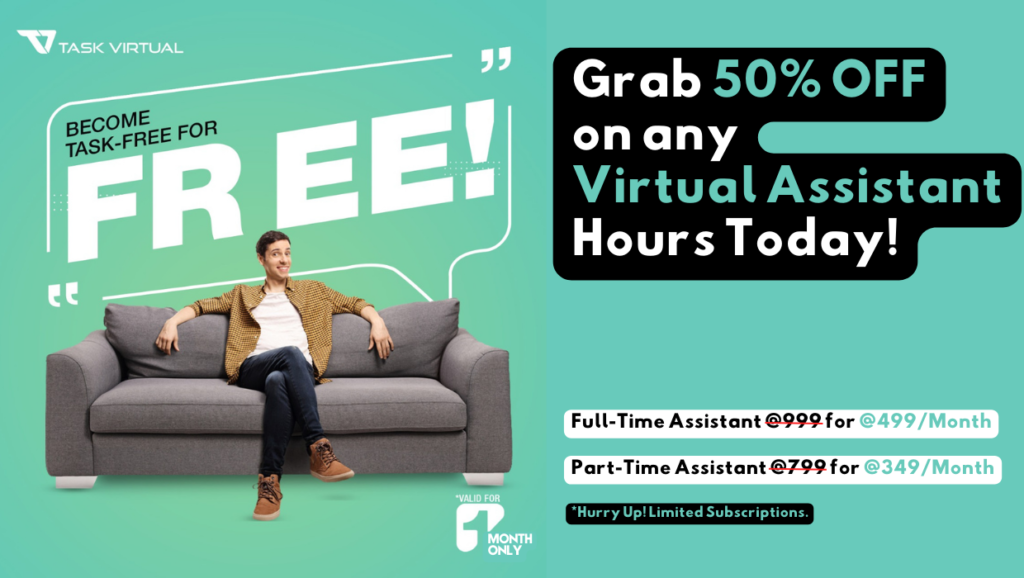
Creating personalized AI characters with your face on canvas tools can be time-consuming and technically challenging. From photo preparation to prompt refinement and consistent outputs, the workflow demands attention to detail. TaskVirtual provides expert AI virtual assistants who manage your AI character canvas projects efficiently.
1. Expert AI Canvas Consultation and Review
TaskVirtual’s skilled virtual assistants guide tool selection, prepare high-quality face references, craft effective prompts, run generations in Leonardo AI and Canva, and perform detailed refinements to deliver seamless, realistic face swaps aligned with your vision.
2. Affordable and Flexible Pricing
Hiring a full-time personal assistant can be expensive, but TaskVirtual makes it cost-effective. With pricing plans starting from just $3.12/hour to $14.99/hour, their services are budget-friendly and accessible to individuals, families, and businesses.
3. Comprehensive Character Canvas Support Solutions
TaskVirtual covers full project handling from base character creation and precise masking to advanced consistency techniques, style variations, video extensions, and final output organization through social media advertising service, gaming, or professional applications.
4. Ongoing Support and Quality Assurance
TaskVirtual offers continuous project monitoring, prompt adjustments, multiple iterations, and quality checks. Their proactive support ensures the timely delivery of polished AI characters that meet your exact requirements without ongoing stress.
5. Proven Track Record of Excellence
With 364 positive reviews and a 4.7-star rating on trusted VA platforms, TaskVirtual is recognised as a reliable partner worldwide. Clients count on their expertise to simplify AI character creation and deliver consistent, high-quality results.
FAQ Section
1. What is the best free AI character canvas tool?
Leonardo AI Canvas Editor offers robust free options with strong face swap capabilities.
2. How long does it take to put my face on an AI character?
5-15 minutes for beginners; faster with practice.
3. Do I need advanced skills?
No. Basic photo upload and masking suffice in user-friendly tools.
4. Is it safe to upload my face photo?
Use reputable platforms with clear privacy policies. Delete images after use when possible.
5. Can I use it for commercial projects?
Check tool terms; many allow it with paid plans.
6. How realistic can results get?
Near-photorealistic with quality inputs and refinement, though imperfections may remain.
Conclusion
Mastering AI character canvas face placement unlocks endless creative potential for personalization in 2026. The technology offers accessible ways to create unique digital identities for social, gaming, and professional uses. Continued improvements make results increasingly impressive and easy to achieve. Start experimenting today to discover what works best for your needs.
Sources
- DemandSage Character AI Statistics (2026)
- Verified Market Research AI Face Swap Report
- Leonardo.ai Official Wiki and Tutorials
- Canva AI Documentation
- Various industry analyses on generative AI adoption.
For more such content, visit our website.
 Siddhartha Basu is a Technical Writer at Task Virtual. He loves online games, e-book reading, and Yoga.