
Contents
show
Best Calendar Management Tools for 2025
Managing appointments, meetings, and deadlines efficiently is crucial for productivity. Calendar management tools help individuals and teams schedule tasks, automate reminders, and improve workflow. This guide explores the best calendar management tools, their features, and how to choose the right one.
What Are Calendar Management Tools?
Calendar management tools are software applications that help users organize, schedule, and track appointments, meetings, and deadlines. These tools integrate with email, task management platforms, and communication apps to enhance productivity.
Why Use Calendar Management Tools?
Using the right calendar management software provides numerous advantages.
- Improved Scheduling: Easily plan and manage meetings with real-time availability.
- Automated Reminders: Reduce missed appointments with smart alerts and notifications.
- Increased Productivity: Streamline task management and time allocation.
- Seamless Integrations: Sync with email, project management, and CRM tools.
- Enhanced Collaboration: Share calendars and coordinate schedules with teams effortlessly.
Top Calendar Management Tools
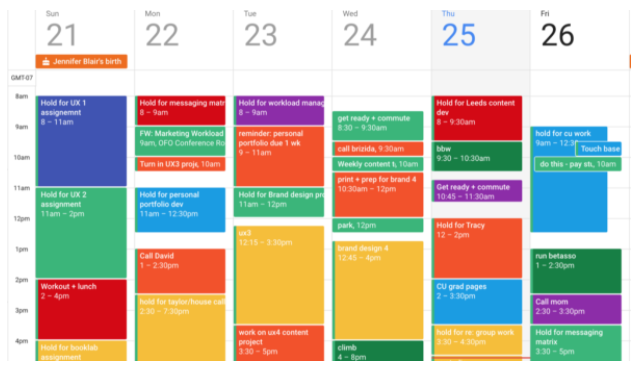
Several calendar apps offer unique features for personal and professional use. Here are the best calendar management tools for 2025.
1. Google Calendar
Google Calendar provides real-time scheduling, event reminders, and cross-platform syncing for individuals and businesses.
2. Microsoft Outlook Calendar
Microsoft Outlook integrates email and scheduling into one platform, making it ideal for professionals and enterprises.
3. Calendly
Calendly automates appointment scheduling by allowing users to set availability and share booking links.
4. Apple Calendar
Apple Calendar syncs seamlessly across Mac, iPhone, and iPad, making it ideal for Apple users.
5. Zoho Calendar
Zoho Calendar offers business-friendly scheduling and integration with Zoho’s productivity suite.
6. Monday.com Calendar
Monday.com provides a customizable team calendar with automated workflows and task tracking.
7. ClickUp Calendar
ClickUp combines calendar scheduling, task management, and goal tracking in one platform.
8. Fantastical
Fantastical offers AI-powered scheduling, natural language input, and weather updates.
9. TimeTree
TimeTree allows families and teams to collaborate on shared calendars and schedule tasks together.
10. Notion Calendar
Notion Calendar syncs with Notion workspaces, allowing users to link tasks, notes, and schedules.
How to Choose the Best Calendar Management Tool

Consider these factors when selecting a calendar tool for personal or business use.
1. Integration Capabilities
Ensure the tool connects with email, project management, and CRM software.
2. Automation Features
Look for AI-powered scheduling, automated reminders, and smart task prioritization.
3. Collaboration Options
Choose a calendar that allows team sharing, event invitations, and real-time updates.
4. Cross-Platform Accessibility
Opt for a tool that works on desktop, mobile, and web-based platforms.
5. Customization Flexibility
Pick a calendar that offers custom views, color-coding, and task categories.
Future Trends in Calendar Management
AI and automation are revolutionizing digital scheduling tools.
- AI-Powered Scheduling: Smart calendars predict and optimize meeting times.
- Voice-Activated Commands: Virtual assistants schedule and manage calendars via voice input.
- Automated Task Prioritization: AI suggests which tasks to focus on based on urgency.
- Seamless Remote Collaboration: Virtual teams benefit from cloud-based scheduling tools.
Why Choose TaskVirtual for Calendar Management?

TaskVirtual provides expert calendar management services for businesses and professionals and here are what making them the best among all.
- Custom calendar organization and scheduling automation.
- Seamless integration with Google, Outlook, and CRM tools.
- Affordable pricing starting at $3.12 / hour to $14.99 / hour, ensuring value for money.
- 364 positive reviews on esteemed VA reviewing platforms, which amounted to a 4.7-star rating
- Expert assistance in workflow optimization and time tracking.
Conclusion
Calendar management tools enhance scheduling, collaboration, and productivity for individuals and teams. Platforms like Google Calendar, Microsoft Outlook, and Calendly offer smart scheduling features that automate reminders, integrate with work tools, and improve efficiency. While selecting the right calendar app depends on individual needs, AI-driven innovations are making scheduling more intelligent and automated. Businesses and professionals can optimize workflow by using structured calendar tools and expert scheduling services. Partner with TaskVirtual for efficient calendar management solutions in 2025 and beyond.
 Siddhartha Basu is a Technical Writer at Task Virtual. He loves online games, e-book reading, and Yoga.