Contents
show
Online Video Editing Service: Fast And High-Quality Video Editing for All Needs
An Online Video Editing Service provides professional remote editing for creators, businesses, and individuals. These services include trimming, transitions, color correction, audio cleanup, subtitles, motion graphics, ad editing, YouTube editing, and more. They allow users to receive polished, engaging videos without advanced tools or editing skills.
What Is an Online Video Editing Service?
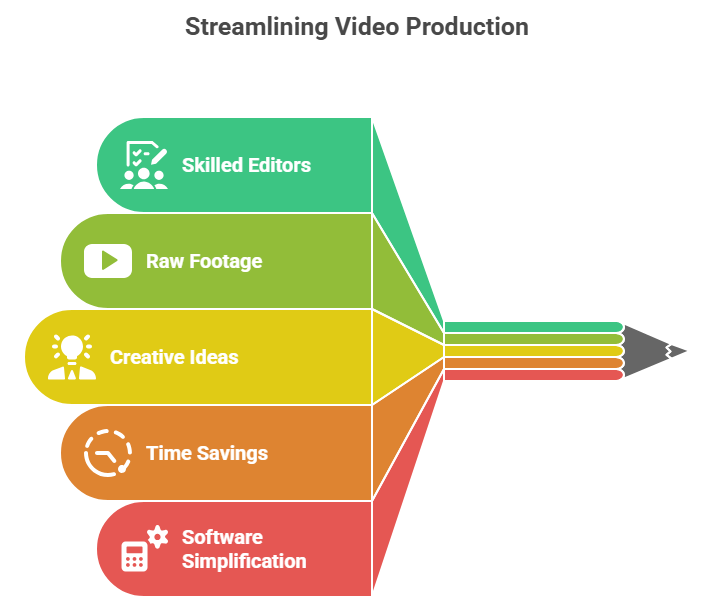
An Online Video Editing Service lets you outsource video editing to skilled professionals who work remotely. You simply upload your raw footage, share your ideas, and editors transform it into a clean, engaging, and high-quality final video. These services are ideal for YouTubers, influencers, businesses, educators, marketers, real estate agents, and anyone needing professionally produced content—especially since 91% of businesses now use video as a marketing tool, highlighting how essential high-quality editing has become for visibility and engagement
By using an online editing team, you save hours of tedious work, eliminate the need to learn complex software, and ensure your video meets professional standards. The editors adjust the style, pacing, effects, and overall visual tone to match your audience and brand identity. This makes the entire production process smoother and significantly more efficient.
How an Online Video Editing Service Works

Before diving into the detailed steps, it helps to understand the workflow that keeps everything streamlined and efficient. Each phase of the process is designed to reduce your workload while giving editors the clarity they need to create a polished final product. The following points explain how your footage moves from raw materials to a completed, ready-to-publish video.
1. Upload Your Raw Footage
You start by uploading your videos, images, or audio files to a secure cloud platform so editors can access them immediately. This upload often includes scripts, notes, references, or examples to help editors understand your style. Clear instructions ensure the editing team begins the project with accurate direction.
2. Editors Review Your Requirements
The editing team reviews your goals, audience, and content type to decide the best approach for your video. They analyze your references and preferred style to ensure consistency with your brand or channel. This review stage helps prevent misunderstandings and ensures that the draft matches your expectations.
3. Editing Process Begins
Once everything is clear, editors begin trimming clips, cleaning audio, refining transitions, and enhancing colors for a professional look. They may also add subtitles, graphics, effects, and branding elements depending on your needs. This step shapes the rough footage into a smooth, visually appealing final sequence.
4. Receive the First Draft
After the initial edit is complete, you receive a preview to evaluate the pacing, visuals, and audio quality. You can request modifications to scenes, timing, effects, or text to refine the video further. This collaborative stage helps shape the final version into exactly what you want.
5. Final Delivery
When revisions are complete, the final exported video is delivered in your preferred resolution and format. The file is optimized for the platforms you choose, such as YouTube, Instagram, TikTok, or websites. You can then publish it instantly without any additional work.
Key Features of Online Video Editing Services
Online Video Editing Services include a wide range of tools designed to elevate video quality dramatically. These capabilities are comparable to in-house editors and production studios but are offered at a fraction of the cost. The points below highlight the professional features you receive when working with a skilled editing team.
1. Professional Editing Tools
Editors use industry-standard software like Adobe Premiere Pro, Final Cut Pro, DaVinci Resolve, and After Effects to produce high-quality results. These programs allow for advanced color grading, precise transitions, and detailed effects. The technology ensures your video looks polished and visually appealing.
2. Color Correction & Grading
Color correction adjusts exposure and white balance, while grading creates a cinematic tone that matches your brand. This process enhances visual consistency across all your footage and improves overall viewer experience. A well-graded video looks more professional and engaging.
3. Audio Enhancement
Professional editors remove background noise, balance audio levels, and integrate music seamlessly. Voice clarity is improved significantly, making the content easier to understand, which is crucial because 73% of viewers say they will stop watching a video if the audio quality is poor. Good audio enhances emotional impact and improves audience retention.
4. Motion Graphics & Titles
Editors can design animated text, lower thirds, logo reveals, and custom visual elements to strengthen branding. These graphics help communicate key information quickly and professionally. Well-designed motion graphics make your video stand out.
5. Subtitles & Captions
Subtitles increase accessibility and help viewers understand content even without sound. Captions also improve engagement on platforms where videos autoplay silently. Adding text boosts retention and expands your reach.
6. Special Effects
Slow motion, time-lapse, green screen editing, and creative transitions elevate visual storytelling. These effects make ordinary footage more dynamic and memorable. When used correctly, they enhance the flow and professionalism of your video.
7. Social Media Optimization
Videos can be formatted into vertical, horizontal, or square layouts for different platforms. Editors also adjust pacing and style to match platform-specific trends. This ensures maximum visibility and performance across social media.
8. Brand Consistency
Editors apply your brand colors, fonts, templates, and style guidelines throughout the video. Consistency helps viewers instantly recognize your content. Strong branding improves credibility and trust.
Benefits of Using an Online Video Editing Service
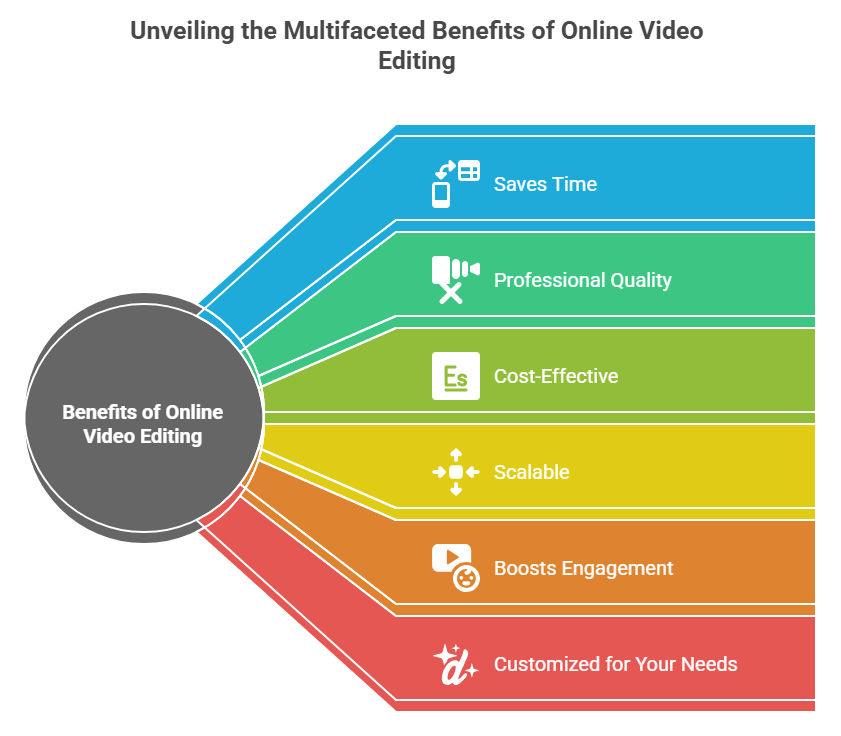
Before exploring the advantages in depth, it’s important to understand why outsourcing editing is becoming the preferred option for modern creators and businesses. These services streamline production, enhance quality, and reduce overall effort for users. Below are the major benefits you gain from using a professional online editing service.
1. Saves Time
Professional editors work faster because they use advanced tools and have years of experience. This saves you hours or even days of editing, so you can focus on content creation. Faster turnaround means more consistent publishing.
2. Professional Quality
Skilled editors know how to enhance footage, improve audio, and create visually appealing content. Their work gives your videos a studio-quality finish that attracts more viewers. High-quality videos also improve brand perception.
3. Cost-Effective
You avoid the high cost of editing software, hardware, and in-house staff. Online services offer flexible pricing suited to different project sizes. This makes them affordable for individuals and businesses.
4. Scalable
Whether you need one video or hundreds, editing services can handle any volume. Teams adjust their resources to match your workload seamlessly. This helps you expand content production without extra effort.
5. Boosts Engagement
Well-edited videos hold attention longer and perform better on social media. Clear visuals, good pacing, and strong storytelling increase viewer retention, which is especially important because social videos generate 1,200% more shares than text and images combined. Higher engagement leads to better results.
6. Customized for Your Needs
Editors tailor visuals, pacing, effects, and graphics to match your personality and brand style. You maintain creative control while benefiting from professional craftsmanship. This ensures every project meets your expectations.
Online Video Editing Service vs Editing Videos Yourself
| Feature | Online Video Editing Service | DIY Editing |
|---|---|---|
| Editing Quality | Professional & polished | Depends on your skills |
| Time Required | Fast turnaround | Very time-consuming |
| Tools Needed | No need to buy software | Must purchase expensive tools |
| Expertise | Skilled editors | Learning curve required |
| Consistency | Reliable results | Often inconsistent |
How to Use an Online Video Editing Service
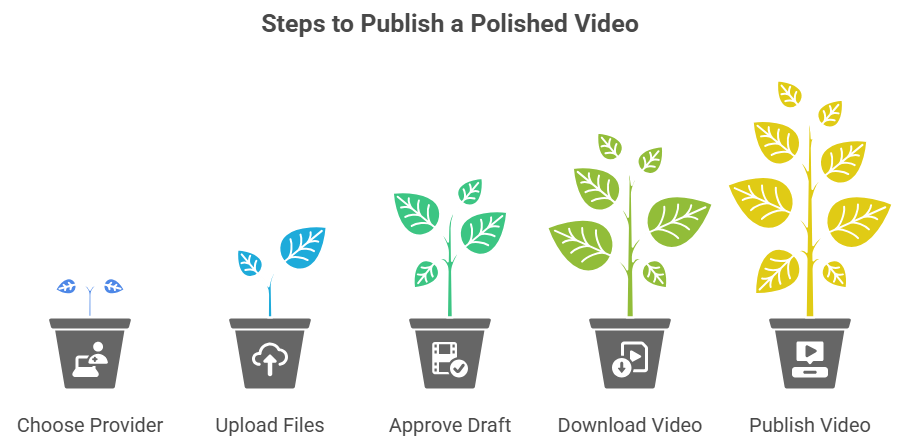
Before exploring the steps, it helps to know that most editing providers follow a simple, user-friendly process. This ensures your footage moves smoothly from upload to delivery without confusion. Below is the standard workflow you’ll experience when working with a professional service.
Step 1: Choose an Editing Provider
Select a provider with strong reviews, portfolio quality, and experience in your niche. Make sure they understand the type of content you produce regularly. A good match ensures smoother communication and better results.
Step 2: Upload Files
Upload your raw footage along with detailed instructions, examples, and any branding assets. Clear direction improves editing accuracy and speeds up the process. This step forms the foundation for the final video.
Step 3: Approve the First Draft
Review the draft and evaluate the structure, pacing, color, and audio quality. Provide specific revision notes so editors can refine the video. Feedback ensures the final version matches your expectations.
Step 4: Download Final Video
Once revisions are complete, the editor delivers the final polished video in your desired format. The file is optimized for your chosen platform and ready to publish. No extra editing is required on your part.
Step 5: Publish
Upload the final video to your social platforms, website, or advertising channels. A well-edited video increases visibility and strengthens your brand. This last step completes the production process.
Limitations of Online Video Editing Services

Every online service has certain constraints that users should understand before beginning a project. These limitations do not reduce the value of the service but help set realistic expectations for timelines and results. The following points explain the most common limitations and how they may influence your video production process.
1. Requires Clear Instructions
Editors depend heavily on detailed guidance to ensure the final output matches your creative vision. If instructions are vague or incomplete, the team may misinterpret your expectations, causing unnecessary revisions. Clear communication from the start leads to smoother workflows and faster delivery.
2. Uploading Large Files
Video files, especially high-resolution footage, often take significant time to upload, depending on your internet speed. Slow uploads may delay the start of the editing process and push timelines further. Using compressed files or faster networks can help reduce these delays.
3. Revisions May Delay Final Delivery
Revision cycles are important for refining the final product, but they can extend the overall turnaround time. Each round of changes requires editors to adjust clips, audio, or effects carefully to meet your expectations. The more complex the adjustments, the longer it can take to finalize the video.
TaskVirtual: Your Trusted Partner for Online Video Editing Support

Producing high-quality videos often requires more than just editing—it involves organizing footage, coordinating instructions, managing revisions, and keeping production timelines on track. These tasks can quickly become overwhelming, especially for creators and businesses handling multiple projects. TaskVirtual provides dedicated virtual assistants for video editing who streamline your entire video production workflow by handling coordination, communication, and administrative tasks so you can focus solely on creating content.
1. Editing Coordination and Workflow Management
TaskVirtual’s skilled virtual assistants help organize your raw footage, prepare instructions for editors, and ensure each file is uploaded properly. They act as your project coordinators by tracking editing progress, communicating with editing teams, and making sure each step aligns with your vision. This ensures a smooth workflow from the initial upload to the final delivery.
2. Affordable and Flexible Pricing
Hiring in-house staff for editing support can be expensive, but TaskVirtual offers a cost-effective alternative. With pricing plans starting from $3.12/hour to $14.99/hour, their services are accessible for creators, small businesses, and agencies alike. This flexibility lets you scale support based on your content production needs.
3. Comprehensive Video Assistance Solutions
From preparing scripts, organizing clips, and managing revision notes to coordinating multiple version edits, TaskVirtual covers every support task related to video production. Their assistants compare editor offerings, track deadlines, and ensure files meet platform formatting requirements. Whether you need occasional help or ongoing management, their services adapt to your workload.
4. Ongoing Support and Quality Assurance
TaskVirtual ensures that no detail is missed by offering timely reminders, update tracking, and quality checks on received drafts. Their proactive approach helps identify inconsistencies early, avoiding delays during the revision process. This ensures your final videos are delivered exactly as expected.
5. Proven Track Record of Excellence
With 364 positive reviews and an impressive 4.7-star rating, TaskVirtual is recognized as a reliable global partner for virtual assistance services. Clients trust their ability to simplify video production management and support complex editing workflows. Their consistent performance makes them a strong addition to any creator or business team.
Final Thoughts
An Online Video Editing Service is one of the most efficient ways to produce high-quality videos without learning complex editing software. Whether you are a business owner, creator, educator, or marketer, outsourcing helps you save time, improve quality, and scale your production. From YouTube videos to ads and corporate content, these services ensure a polished final product that captivates your audience.
FAQ: Online Video Editing Services
1. What is an Online Video Editing Service?
A remote service where professional editors edit and enhance your videos based on your requirements.
2. Do I need expensive equipment?
No, you only need raw footage. Editors handle everything else.
3. Can I request revisions?
Yes, most services allow multiple revisions.
Absolutely, they create versions for TikTok, Instagram, YouTube, Facebook, and more.
5. What file formats do I receive?
MP4, MOV, 1080p, 4K, vertical, horizontal, or any format you need.
 Siddhartha Basu is a Technical Writer at Task Virtual. He loves online games, e-book reading, and Yoga.