Contents
show
Can Google Gemini Edit Photos
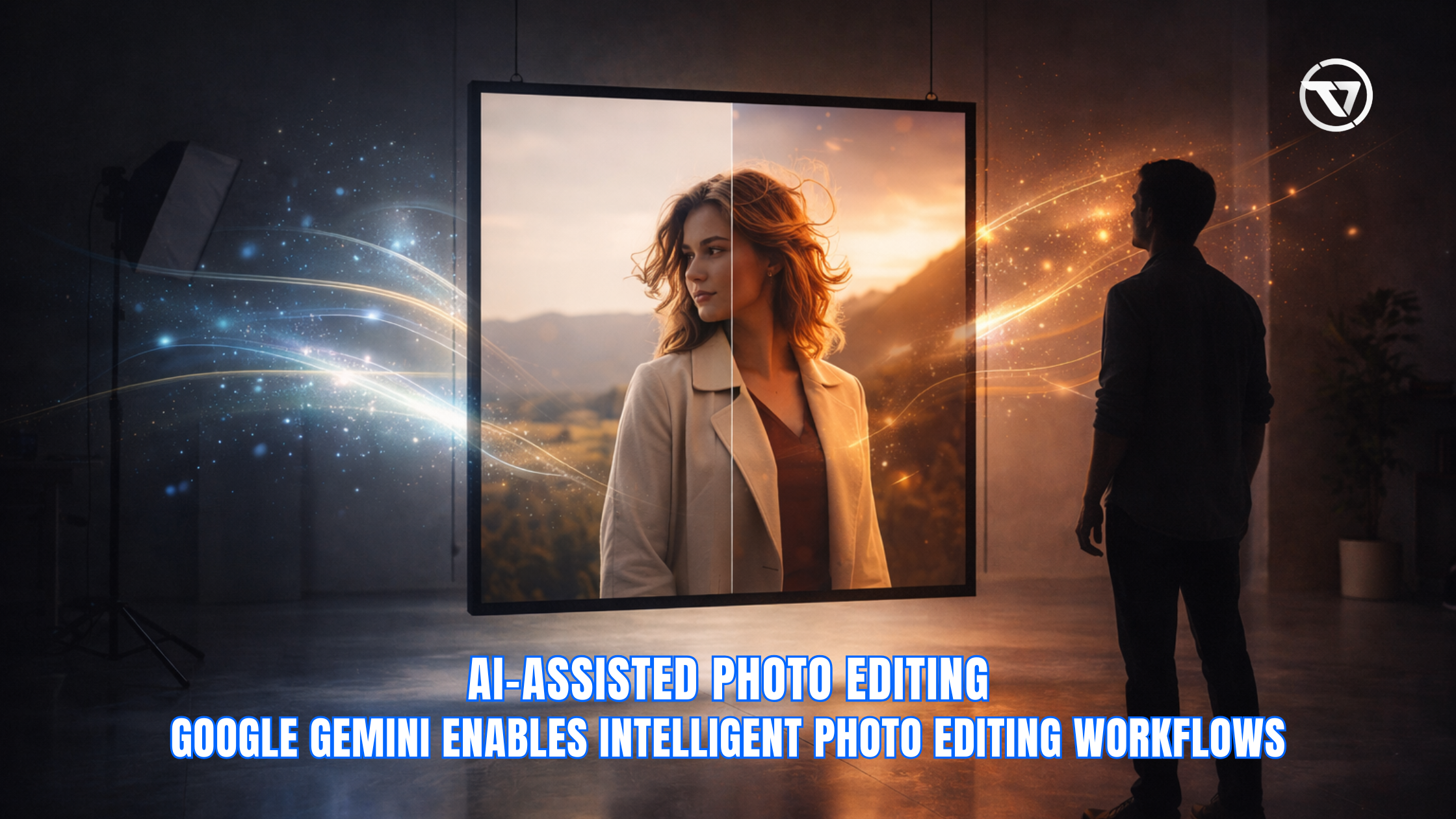
Google Gemini has quickly become one of the most widely discussed AI platforms, and many users naturally wonder whether it can edit photos directly, the way traditional image editors or AI photo tools do. While Gemini is highly capable in areas such as language understanding, creative assistance, and task guidance, it does not function as a pixel-based photo manipulation system. Instead, Gemini plays a supporting role in the editing workflow by helping users plan edits, design creative directions, generate detailed prompts, and explain how to perform specific edits in other applications. In practical terms, this means Gemini enhances the overall editing experience, but the actual visual modifications still occur in external software such as Google Photos, Photoshop, Canva, Lightroom, or other AI-powered editors that are purpose-built for image processing.
What Does “Can Google Gemini Edit Photos” Really Mean?
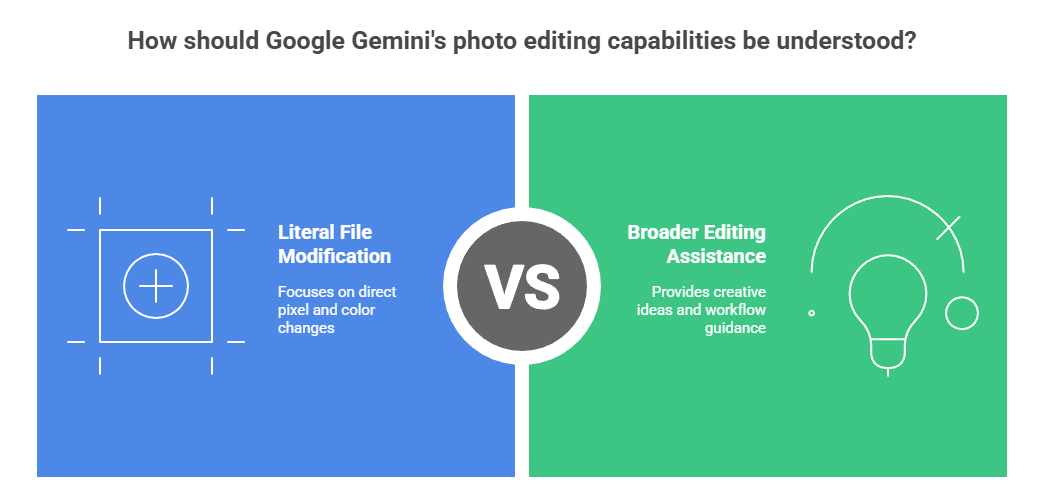
When people ask whether Google Gemini can edit photos, the question can refer to different capabilities depending on how they define the editing process. Some users are thinking in terms of literal file modification, where an application changes pixels, colors, lighting, or composition, while others are considering a broader form of editing that involves creative ideas, workflow assistance, or intelligent prompts that inform how the work should be carried out in another tool. Recent research shows that even advanced AI-powered systems can only satisfy around 33% of everyday image editing requests according to human evaluations, indicating that a substantial share of editing tasks still requires manual tools or human oversight rather than automated manipulation by AI editors alone. Because photo editing can encompass both execution and guidance, it is important to distinguish between these interpretations before evaluating Gemini’s capabilities.
1. Can Gemini physically modify or change an image file?
This interpretation focuses on whether Gemini itself performs direct visual manipulation, such as cropping an image, changing exposure, removing objects, or applying filters. In this context, editing refers specifically to technical pixel-level changes that result in a new version of an image file. Gemini does not operate as a graphics engine or visual editor, and it does not alter or rewrite image data inside a file on its own. Users who require actual visual adjustments must continue to rely on dedicated editing tools that are designed to perform and render these modifications.
2. Can Gemini help with the editing process through ideas, guidance, or prompts?
In this broader interpretation, editing assistance includes creative direction, style recommendations, concept brainstorming, and instructional support for completing edits in another application. Here, Gemini functions as an intelligent assistant that complements the editing process rather than replacing the tools that perform the edits. It can suggest visual moods, generate descriptive prompts for AI editors, and walk users through editing techniques step by step. In this sense, Gemini is highly useful, even though it does not directly modify the image itself.
Can Google Gemini Edit Photos Directly?
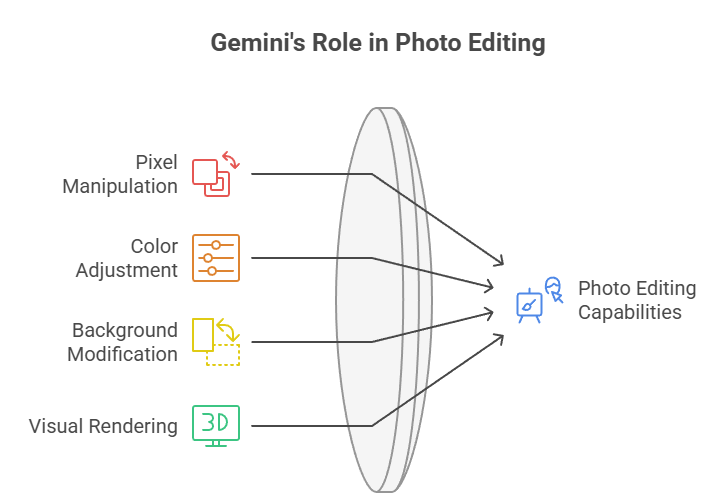
The short and direct answer is that Google Gemini cannot edit photos directly, because it is not designed to manipulate image pixels, adjust colors, modify backgrounds, or perform visual rendering operations. Gemini operates primarily as a conversational and reasoning-based AI system rather than a graphics engine, so its role is advisory rather than mechanical in the context of photo editing. Any cropping, retouching, enhancement, or transformation still needs to be executed through a dedicated photo editing application or an AI image editor that supports those capabilities.
What Google Gemini Can Do Related to Photo Editing

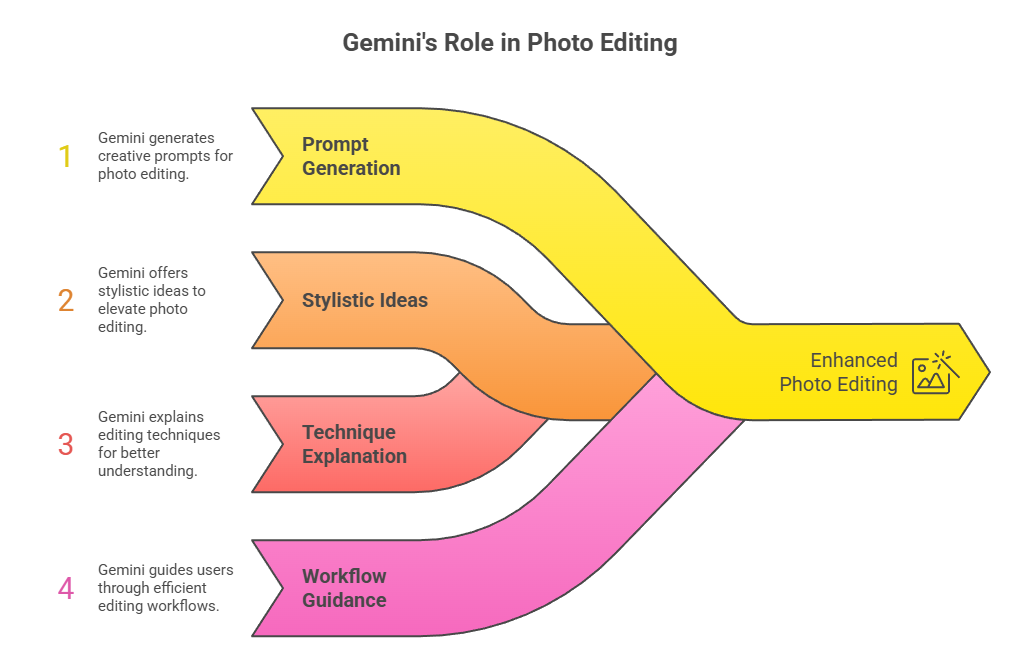
Although Gemini does not perform direct visual modification, it remains highly valuable as part of the creative workflow surrounding photo editing. It can support photographers, designers, marketers, content creators, and casual users by helping them clarify editing goals, articulate creative intentions, and structure editing tasks more effectively. Through conversation and intelligent recommendations, Gemini contributes to the conceptual planning and decision-making aspects of editing, which often determines the quality and direction of the final result even before adjustments are applied in an editing tool.
1. Generate Editing Prompts for AI Tools
Gemini can generate clear, detailed, and contextually rich prompts for AI-powered image editors that rely on textual instructions to shape output. Instead of writing vague or incomplete descriptions, users can ask Gemini to refine and structure the prompt so that it communicates mood, style, lighting conditions, composition details, and artistic tone more effectively. By doing so, Gemini acts as a creative language intermediary between the user’s idea and the AI editing tool, making the editing process more intentional and producing more consistent results.
2. Provide Creative Editing Ideas
Gemini is also valuable as a brainstorming partner for conceptualizing different stylistic directions before editing begins. It can suggest artistic themes, visual moods, color palettes, composition enhancements, and conceptual variations that inspire new approaches to an image, and this aligns with broader trends showing that 48% of creators use generative AI specifically to help with ideation and brainstorming in their workflows, highlighting how central AI support has become to the creative process. Users can explore cinematic styles, minimalist aesthetics, retro treatments, dramatic lighting concepts, or thematic storytelling approaches, all expressed in clear descriptive language. These creative prompts help frame the editing process with a stronger visual identity and artistic objective.
3. Explain How to Edit Photos in Apps
Another important capability is Gemini’s ability to guide users through specific editing workflows inside popular photo applications. Instead of searching through menus or tutorials, users can ask Gemini for procedural explanations, and it can outline the steps required to perform actions such as adjusting exposure, applying filters, retouching portraits, or exporting files. This guidance functions as an on-demand instructional resource, enabling users to perform edits more confidently within tools such as Google Photos, Photoshop, Lightroom, Canva, or mobile editing platforms.
4. Analyze or Describe an Image (Where Supported)
In supported contexts, Gemini may help describe or interpret the content of an image, offering insights about composition, subject matter, lighting balance, or visual storytelling elements. While this capability involves interpretation rather than modification, it can still assist users by identifying opportunities for improvement or suggesting how particular elements might be enhanced through editing. This analytical feedback contributes to better editing decisions, even though the actual edits must still be executed in an external application.
When You Should Use Other Tools Instead of Gemini
1. Remove backgrounds
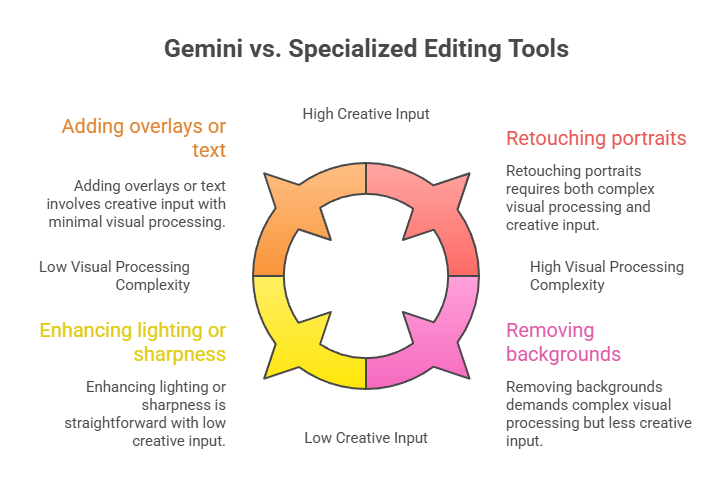
When the objective is to remove or replace a background, isolate a subject, or create a transparent cut-out, users should rely on software capable of performing selection and masking operations. These tasks require computational image processing that detects edges, separates layers, and reconstructs visual boundaries, which Gemini does not perform directly. Applications such as Photoshop, Canva, or AI background removal tools are specifically optimized for this type of visual editing.
2. Add overlays or text
If the goal is to place graphical overlays, insert typography, add logos, or arrange visual elements on top of an image, a layout-oriented design or editing application is required. These programs provide control over alignment, sizing, layering, and visual composition in a way that Gemini does not replicate. While Gemini can help generate ideas for captions or suggest creative layout concepts, the actual placement and rendering of overlays must be handled inside a design or editing tool.
3. Enhance lighting or sharpness
Adjusting brightness, contrast, sharpness, exposure, shadows, or clarity requires algorithmic image enhancement. These adjustments recalculate pixel values across the entire image. Such operations are core functions of image editing engines. They must be performed within tools supporting real-time visual processing. Gemini can explain how to apply corrections or suggest stylistic approaches. However, it does not execute the enhancements itself.
4. Edit colors or effects
Color grading, tone adjustments, filter application, or stylized visual treatments require color-processing features that modify hue, saturation, temperature, and tonal mapping. These operations are intrinsic to editing platforms such as Lightroom, Photoshop, or mobile editing apps, and this aligns with industry usage trends showing that 67% of photographers use Lightroom as their primary editing tool because of its advanced color and tone adjustment capabilities, underscoring how vital these features are in real-world workflows. Gemini may recommend creative color styles or help users decide on an aesthetic direction, but the applied color transformations take place within the editing software.
5. Retouch portraits
Tasks such as skin smoothing, blemish removal, facial feature enhancement, or portrait refinement involve precision editing tools that manipulate localized image areas. These functions depend on advanced retouching algorithms or manual brush-based adjustments that must occur inside a specialized photo editor. Gemini can suggest retouching approaches or explain best practices, but it does not carry out the retouching actions itself.
Google Gemini vs Photo Editing Software

| Feature | Google Gemini | Photo Editing Software |
|---|---|---|
| Direct Photo Editing | No | Yes |
| Creative Suggestions | Yes | Limited |
| Step-by-step Guidance | Yes | Not conversational |
| Pixel-level Changes | No | Full control |
| Best Use | Ideas & instructions | Actual editing |
They work best together — Gemini for planning, tools for execution.
TaskVirtual: Your Reliable Partner for Professional Photo Editing Service

For many individuals and businesses, managing creative workflows, online productivity tasks, and digital support activities alongside everyday responsibilities can become increasingly time-consuming. Whether you are coordinating projects, organizing content workflows, or seeking structured support for administrative and online operations, having a dependable virtual assistance partner can significantly streamline your workload. TaskVirtual provides specialized Editing Image Services that help users stay organized, enhance productivity, and manage recurring digital responsibilities with greater efficiency and confidence.
1. Expert Support for Creative and Digital Tasks
TaskVirtual’s experienced virtual assistants assist users with research, documentation support, content coordination, and routine administrative activities to keep work processes running smoothly. Their team helps organize digital resources, coordinate communications, and support task execution so users can stay focused on strategic priorities rather than time-consuming operational details. This professional assistance ensures tasks are handled accurately and consistently.
2. Affordable and Flexible Pricing
Hiring full-time staffing support is often costly, but TaskVirtual makes dedicated assistance accessible and budget-friendly. Their plans are designed to accommodate different workload needs, with pricing that starts from just $3.12/hour to $14.99/hour, allowing individuals, entrepreneurs, and organizations to scale support based on requirements rather than fixed overhead. This flexibility makes TaskVirtual an efficient and economical alternative to traditional staffing.
3. Comprehensive Workflow and Productivity Solutions
Beyond basic task handling, TaskVirtual offers scalable support across scheduling, documentation management, online coordination, process follow-ups, and recurring operational activities. Their assistants adapt to each workflow environment, helping users maintain consistent progress across both short-term assignments and ongoing responsibilities. This comprehensive approach ensures continuity, organization, and structured execution across daily professional tasks.
4. Reliable Ongoing Assistance and Quality Monitoring
TaskVirtual emphasizes reliability through proactive communication, status updates, and quality-focused task handling. Their support model includes follow-ups, reminders, and structured coordination to ensure nothing is overlooked during day-to-day workflows. This ongoing oversight helps users stay confident that operational tasks are progressing as expected without additional stress or supervision demands.
5. Proven Performance and Client Satisfaction
With 364 positive reviews and a 4.7-star rating on trusted virtual assistant platforms, TaskVirtual is recognized for its consistent service standards and dependable performance. Clients across various industries rely on their expertise to simplify task management, enhance productivity, and maintain organized digital workflows, making TaskVirtual a trusted partner for professional virtual assistance needs.
Final Answer: Can Google Gemini Edit Photos?
FAQ: Can Google Gemini Edit Photos?
1. Can Gemini change or retouch an image directly?
No, you must use a photo editing app for actual changes.
2. Can Gemini help with editing ideas?
Yes — it can suggest styles, filters, and creative directions.
3. Can Gemini write prompts for AI image editors?
Yes — it can help generate detailed editing prompts.
4. Can Gemini replace Photoshop or Google Photos?
No — it supports the process but does not perform edits.
5. Will Gemini gain photo editing features in the future?
Possibly — as AI tools evolve, deeper integrations may appear.
 Siddhartha Basu is a Technical Writer at Task Virtual. He loves online games, e-book reading, and Yoga.